Nature Photographers Network
This is the preserved archive of the original Nature Photographers Network. The community continues at naturephotographers.network.
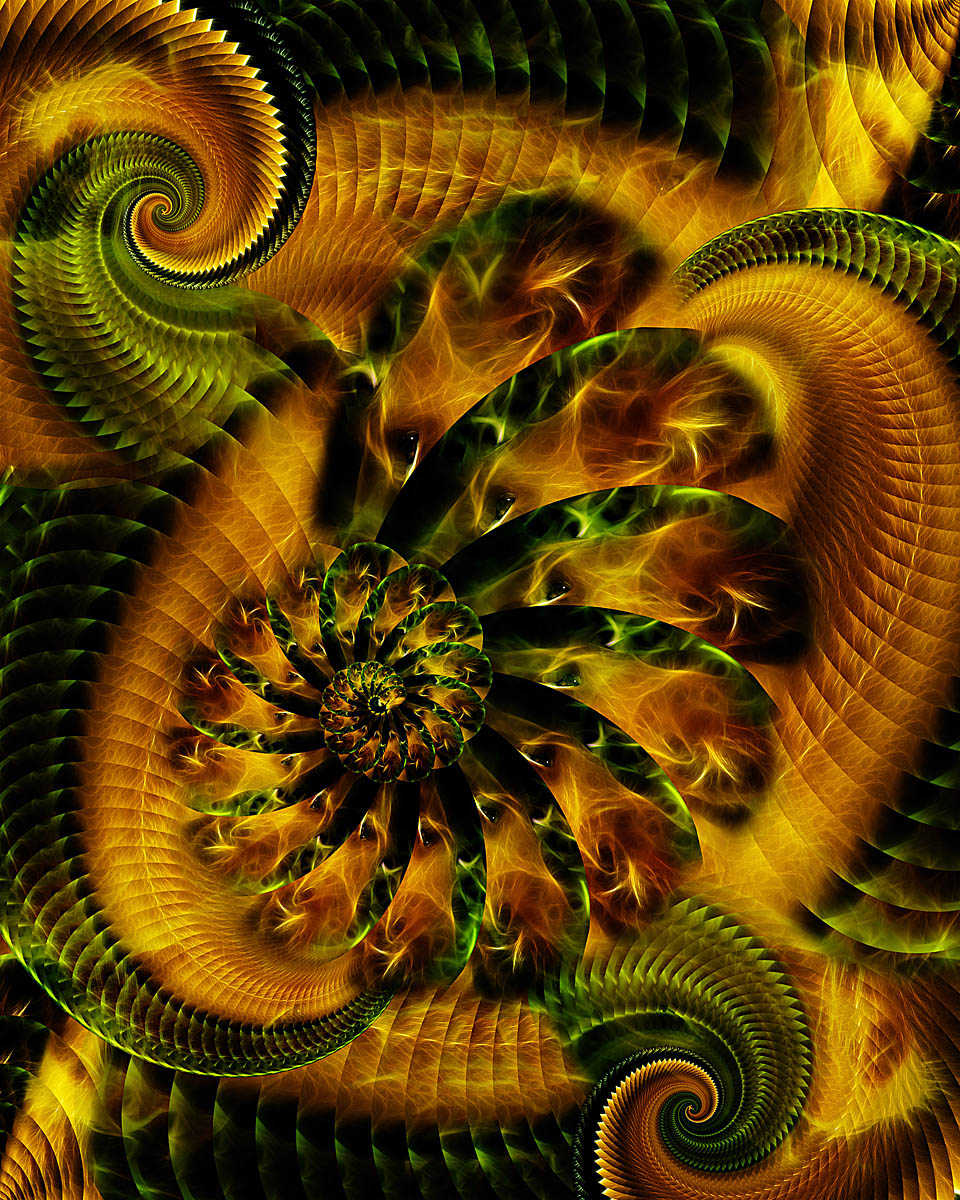
Lioness Fractal
‹ PreviousPhoto Art GalleryNext ›

Lioness Fractal

by Rob Graham

Gallery: Photo ArtPosted January 4, 2010185 views8 comments
I photographed this lioness at our local zoo 4 years ago, just after getting my first serious digital camera, a Kodak P850 P&S. Even after 4 years, I still thoroughly enjoy the photo. I can't say that about many of my early attempts :).

I ran the Fractalius filter on the original. I then used the same process as my last fractal image. This time I tried bringing a little more symmetry to the final image. I also worked on blending the sharp edges where many of the pieces overlapped, easing the transitions.

I have a CS3 question that came about while working on this image. When drawing an oval selection, is it possible to rotate the selection while drawing it? I was trying to select only the head, but couldn't figure out how to rotate the selection during creation. I finally rotated the original image so that the head was vertical, and then could create the oval selection.

C&C always welcome and much appreciated. Does the concept with the large center spiral and identifiable subject work?

Comments

8 comments
Comment posted by Rob Graham on January 4, 2010 at 10:22 PM
Here is the base image for this image.
Registered on August 22, 2006, 842 Posts, 2824 Comments
Comment posted by denise ippolito on January 4, 2010 at 10:55 PM
Rob, I'm not sure I understand. Are you using the oval selection tool-if so you should be able to go to edit>free transform and rotate it however you like. If this is not what you meant then I apologise.
I love your fractal work. Very nice patterns and colors.
Registered on December 17, 2009, 202 Posts, 1529 Comments
Comment posted by Marc Ward on January 5, 2010 at 10:50 AM
Rob,
Like Denise, I'm not sure of the question.... I assume you are referring to the elliptical marquee tool. That tool can be formed into any oval of and width, height, on a vertical or horizontal axis. But, once you unclick, it has selected that area. As Denise mentioned, you can then use the transform function to change the size or shape of the selection but, it does just that... it will transform the pixels in the selection, not just the size and shape of the selection area. I'm not sure I've answered your question.

Wonderful colors!
Registered on February 26, 2009, 304 Posts, 1365 Comments
Comment posted by David W. Kelly on January 5, 2010 at 12:20 PM
I can appreciate this Rob but I like the base image better.
Registered on October 7, 2005, 883 Posts, 6590 Comments
Comment posted by Rob Graham on January 5, 2010 at 1:12 PM
Denise and Marc, thanks for trying to answer my question. Marc, I think you answered my question when you said an oval can be on a horizontal or vertical axis. I was trying to make the oval off-axis. Looking at the base image, the head is angled off-axis and I was trying to find a way to angle the oval to match the head.

David, I can understand your POV. As I mentioned, the original image is still one of my favorites from my early days of photography, and I think the effect of the fractalius filter adds an extra dimension to it.
Registered on August 22, 2006, 842 Posts, 2824 Comments
Comment posted by Stan Rose on January 5, 2010 at 7:57 PM
I prefer the base image by a mile--its much more original looking and approachable. The posted version is real pretty, but the result basically makes it look exactly like the Madlebrot Set, and unfortunatley ive seen so many thousand versions of that 'design' that it's lost its appeal for me :frown: Cool stuff, Rob--keep it coming!
Registered on September 15, 2005, 836 Posts, 17099 Comments
Comment posted by Morris McClung on January 5, 2010 at 8:28 PM
Crazy cool, and the second one is strong by itself!
Registered on May 7, 2007, 670 Posts, 19650 Comments
Comment posted by Doug Roane on January 5, 2010 at 10:25 PM
the OP is marvelous!
Registered on December 12, 2008, 213 Posts, 2226 Comments