Milkweed w/REPOST
by Peter Conway
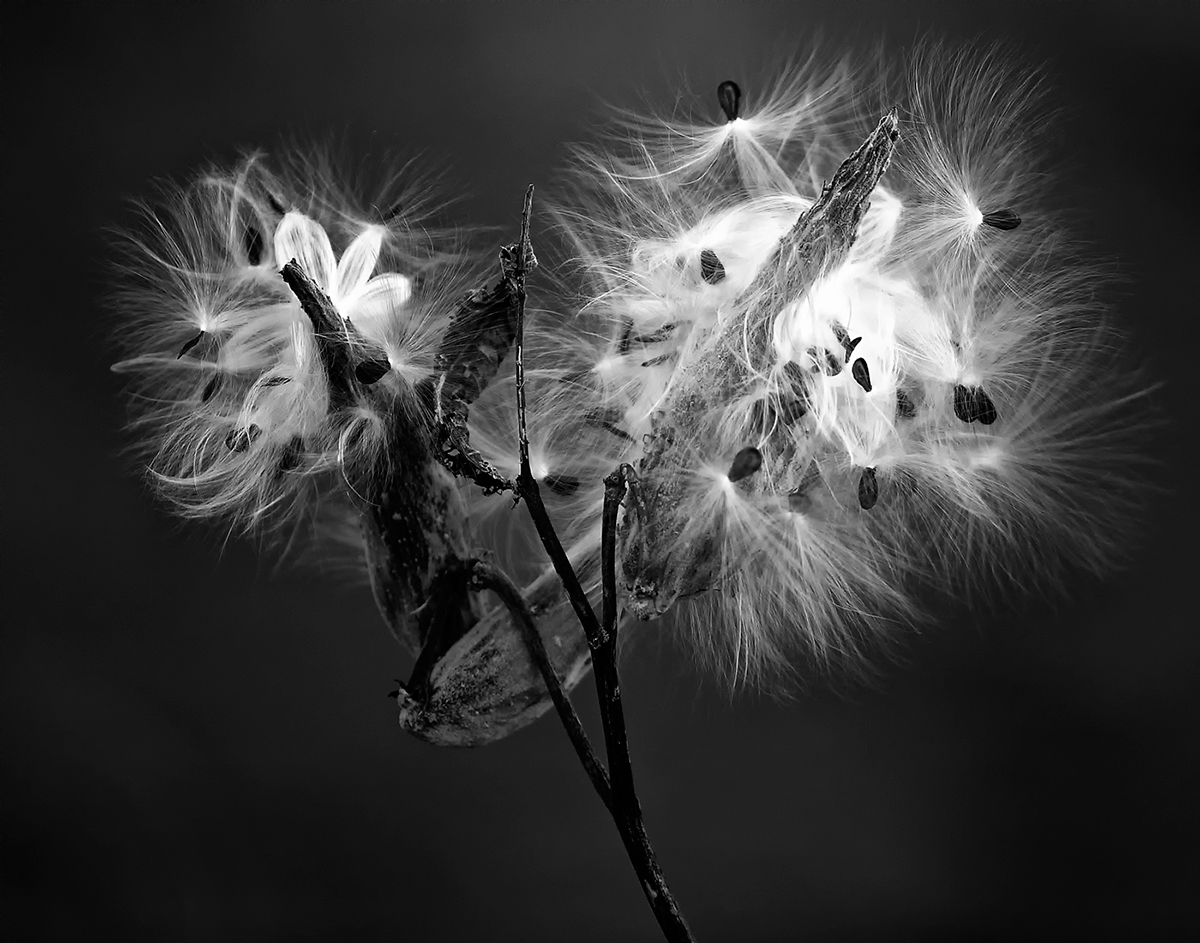
I have played around with this image for some time now. Here is a different take than my post from a couple weeks ago.
I started with a different crop and did all the usual processing in CS5 of levels curves etc. The conversion was done with Nik. I also now use the Nik noise reduction software almost all the time. I applied the Nik darken/lighten center filter twice using different center points so that I could retain the brightness in both of the main pods.
Comments greatly appreciated.
Peter

Comments
12 commentsCheers,
Carol
Excellent work. The color shot was impressive, and I still like it a lot, but this is a great subject for B&W, and I am enjoying your processing so much, I am thinking about about spending some money on software.
I've looked at this for a while now and here's where I got to:
I think it's a very good conversion, though if I could get a little more light onto the darkest Leaf (near the center of the image) and the main body of the stems I would.
At least a quarter of the image is given over to space. I might crop up from the viewer's lower left corner on both the bottom and the side until the viewer's left side of the frame is about the same distance from the subject as the right. I don't think you need the space to frame this subject and the stem isn't that interesting to me.
I'd still try to darken out the light area of the bg with a paint operation or control point in Viveza; or with a gradient in LR. An alternative would be to lighten some of the other space. As it is the light area in the bg is too attention getting for my tastes.
I might be wrong about any of the above and wouldn't know until I saw the results. The is an outstanding image as posted.
pat
(what follows may be boring unless you are in to processing)
I tried to process this by starting where I was and then arrive where I think Pat was suggesting I try to get. I was having trouble retaining the details and taking the BG to where I wanted, so I started from scratch. I did the usual Photoshop levels, sharpening,curves, etc. I then upped the saturation by 25% and did the conversion with Nik Silver Efex Pro. I then used the quick select tool in CS5 to select all the pods and inverted the selection so that I was dealing with everything but them. That allowed me to push the dark end of the levels scale to the right and darken everything but the pods.
I still had some areas the were still too light so I used Pat's suggestion of Viveza 2 and by using control points I could reduce the brightness in just those areas.
At that point all the seed heads were too dark and flat, so I individually selected them and upped both the exposure and the brightness of them to pick up just a hint of sheen. I did the same thing with the dark areas of the left vertical pod and also used the shadow/highlight tool on it.
I left the stem dark, feeling the highlights along the right edge of it were enough to give it definition while it faded more into the BG.
I hope you like the results, but for sure it was an interesting learning experience for me.
thanks again!!
Peter
I like the original which looks more balanced to me. The contrast between the bright and dark areas are too stark in the re-posts do not have the nice gradation of tone as the original.
I have tried Viveza2 and really like what it can do and am considering buy it. I have not tried the other Nik plug-in you used here. Is it worth getting the bundle or just Viveza??
"I like the original which looks more balanced to me. The contrast between the bright and dark areas are too stark in the re-posts do not have the nice gradation of tone as the original.
I have tried Viveza2 and really like what it can do and am considering buy it. I have not tried the other Nik plug-in you used here. Is it worth getting the bundle or just Viveza??"
Gary, I think that's a valid criticism. Somewhere in between may be the best balance to retain a more natural look. Part of it came from me trying to figure out how to achieve this look and then I when I got here I liked it. The contrast is stark but it holds my attention and any time I can get an image to do that I am happy.
I am only just learning to use the Viveza part of the package and to date have actually used the filters and the noise reduction software much more. I also really like the conversion to B&W using Nik. For me the package is well worth it. I now use some part of the Nik package on almost every photo I take.
Hope that helps!
Peter