Ice Sculptures Redux
by Bill Maile
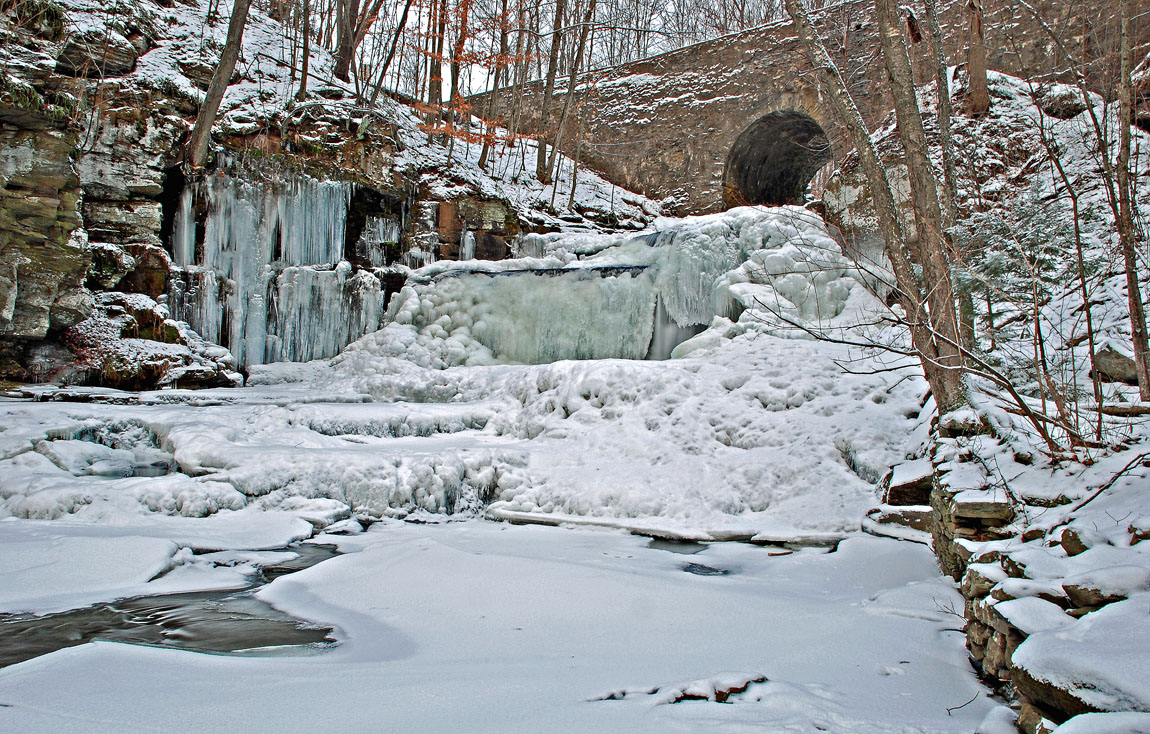
Just wanted to post this image from the day after Christmas, different from the previous one and different in processing. D80, ISO-160, 1.30 seconds, f-24.0, 22mm, no CPL. Larger posted, comments always welcomed, especially this compared to the previous. thanks!

Comments
7 commentsI don't know if anyone else is seeing this, but there appears to be loss of detail throughout the frame, and I'm thinking (at least based on what I am seeing on my monitor) that it could be occuring in your processing.
What photo editing software are you using?
Also, what kind of monitor? I had this same issue when an older monitor was giving up the ghost...and after buying a new, being shocked at how my photos looked!
Finally, I see some great telephoto lens opportunities in this scene, especially the lower left corner where the liquid H2O runs through the ice.
Let me know about my questions above - and keep 'em coming!
PS (edit) - It may be a good idea to send your RAW file to one of the NPN mods and have them process it (and perhaps re-post it in this thread). This will reveal whether it's a processing issue or not.
Stan and Jim, thanks to you two as well, and I CERTAINLY agree something has gone amiss. First this is an entirely different image than original post, "Ice Sculptures", with a very increased exposure. Shot with D80 at ISO-160, 1.3 seconds, f-24.0, 22mm and NO CPL unfortunately. Please compare the two images if you can, wait, I'll post the first one here again (may be not proper, but just for ease of comparison).
As for the monitor Jim, that is something I have discussed with several NPNers. All I have if my standard Dell flat screen monitor. Based on some of the reactions I've gotten over the past year, it's got to be making a difference between what I'm seeing and what others are seeing in my posts. That's problem numero uno.
Secondly Jim, I just started using Elements 7 for real about two months ago. I've got a long way to go!!! I've gotten some GREAT advice from people like Luke O., John M. Carol H., Lon, Kah Kit and others. Right now, I think I'm trying to do too much--too much in the sense that while I'm applying a lot of what I'm told, I'm not sure of the results in mixing and matching, and simply "using the formulas/tips" without really understanding how they work and how they affect the images.
This example I'm posting here (the original M&N version) was the result of my initial processing using lighting adjustments such as levels and shadows/highlights, with some color saturation. Then John showed me how USM could really make it pop, so I went back in and applied that myself--thus this original post. Which still looked a bit off to me.
So in the second, totally different image posted above, I tried to take in all the info I was getting and it indeed came out flatter. Which steps did I do exactly where, etc.?? I couldn't tell you, but kept going back and forth, another problem as the more I save, the more compression, lost data, etc.
Anyway, I'm confused just typing about it.
Jim, these where shot in JPEG. I shot and processed in RAW for the first time a couple of weeks ago--(see "Vanilla Frosting" in M&N I believe, or rather in my gallery). I found the results eye-popping!!
I had the D80 and was getting my settings ready at this spot and almost decided to shoot in RAW, but for some reason decided against it (cold weather brain freeze??!!) and went with the highest JPEG setting. I'm thinking with the D80 and RAW, the results would have been significantly better--though I still do like this very much, to me though, neither one is "just right".
Thanks again Jim!