Nature Photographers Network
This is the preserved archive of the original Nature Photographers Network. The community continues at naturephotographers.network.
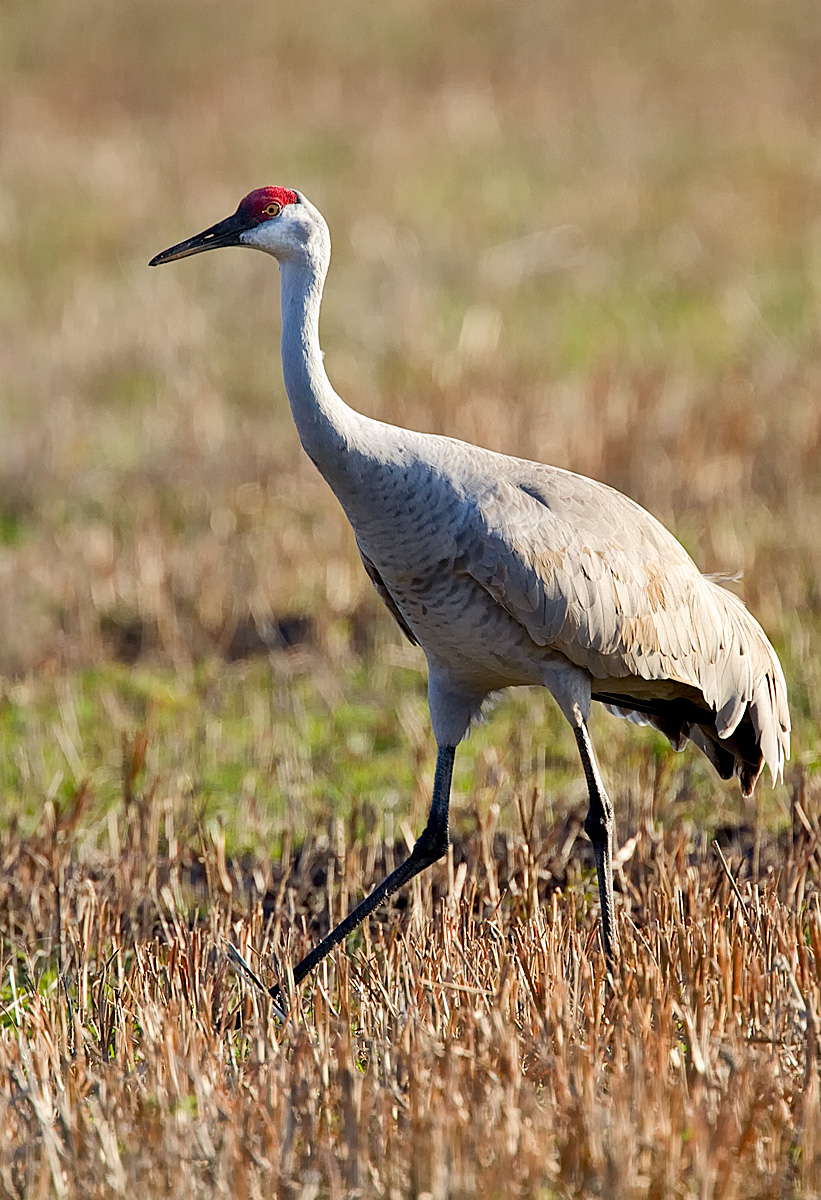
Repost - Sandhill Crane
‹ PreviousAvian GalleryNext ›

Repost - Sandhill Crane

by Dottie Short

Gallery: AvianPosted January 26, 201185 views4 comments
Driving back from Brazos Bend State Park in Texas, I spotted these Sandhill Cranes feeding in a field. I quickly pulled over to the narrow shoulder in my Roadtrek RV and positioned my camera on a beanbag. I check my settings, and was about to shoot when the first vehicle whizzed past me at 60 MPH. My RV started rocking. I thought all was lost!! So with my two eyes I looked three directions. I made sure the coast was clear of traffic in front, checked behind me in the passenger side rear-view mirror for no approaching vehicles, and when the coast was clear I fired. Comments welcomed
7D, 500 mm, F/5.6, 1/640, ISO 400
Bean bag from RV
PP - Vertical crop, cloned out a piece of another crane, curves adjustment, sharpening

Comments

4 comments
Comment posted by Ron Bielefeld on January 26, 2011 at 4:49 PM
Dottie, I like the walking pose of the crane and the habitat is nice. The bird looks sharp too. For me, the light looks pretty harsh on the bird. I would prefer better light on the face and less light on the birds back and back of neck with much softer shadows. Shooting in early and late day light really helps reduce the harshness and harsh shadows. I realize not all opportunities come at these times of the day, but the right light is still very important to making a good image. If this were mine I would try and tone down the brightness of the bright parts of the image to even out the "feel." Just a suggestion.
Registered on December 6, 2008, 360 Posts, 7132 Comments
Comment posted by Mia McPherson on January 26, 2011 at 11:14 PM
Dottie,

I looked at the exif for your image and I am not sure why this would have needed +1.0 EV compensation in what looks to have been good light, that may explain why the image appears too bright. You have nice sharpness, with the proper exposure you would have more visible detail too.
Registered on June 25, 2007, 491 Posts, 12566 Comments
Comment posted by Dottie Short on January 27, 2011 at 10:39 AM
I realize that the lighting was not idea, but it was almost 5PM on a winter day, so I did not expect to have an issue. I toned down the lighting on the back of the neck in the repost. I agree with Mia that there was enough light, and I would not have had to increase by +1, but there was a method in my madness. When I purchased my 7D almost a year ago, I was having issues with too much noise. With the help of the NPN audience, I realized that I needed to skew the histogram to the right thus overexposing somewhat without blowing out the highlights. The highlights could be tamed in PP. I also have my "highlight" warning turned on so that I can adjust the exposure. I have been experimenting with fully manual exposure lately and in this instance it would have probably been a better option. I would appreciate comments regarding this issue since I may not have fully understood what I was being told to me in the past.
Registered on April 12, 2010, 61 Posts, 375 Comments
Comment posted by Mia McPherson on January 28, 2011 at 8:09 AM
Dottie,

Thanks for reposting the file, the details do look better on the neck & back but I can see a thin black line along the neck & back that may have come from postprocessing. +0.3 EV comp may have been just enough EV compensation or perhaps 0.0 with the light you had. I can't address the manual exposure issue since at least 99% of the time I use auto WB.
Registered on June 25, 2007, 491 Posts, 12566 Comments