Striking Head Shots III
by Ashley Vincent
Canon EOS 7D, EF 500mm f/4L IS USM, Aperture Priority @ f/4 (1/400 sec), +1/3 EV, ISO 3200, Tripod, JPEG from RAW, Full Frame
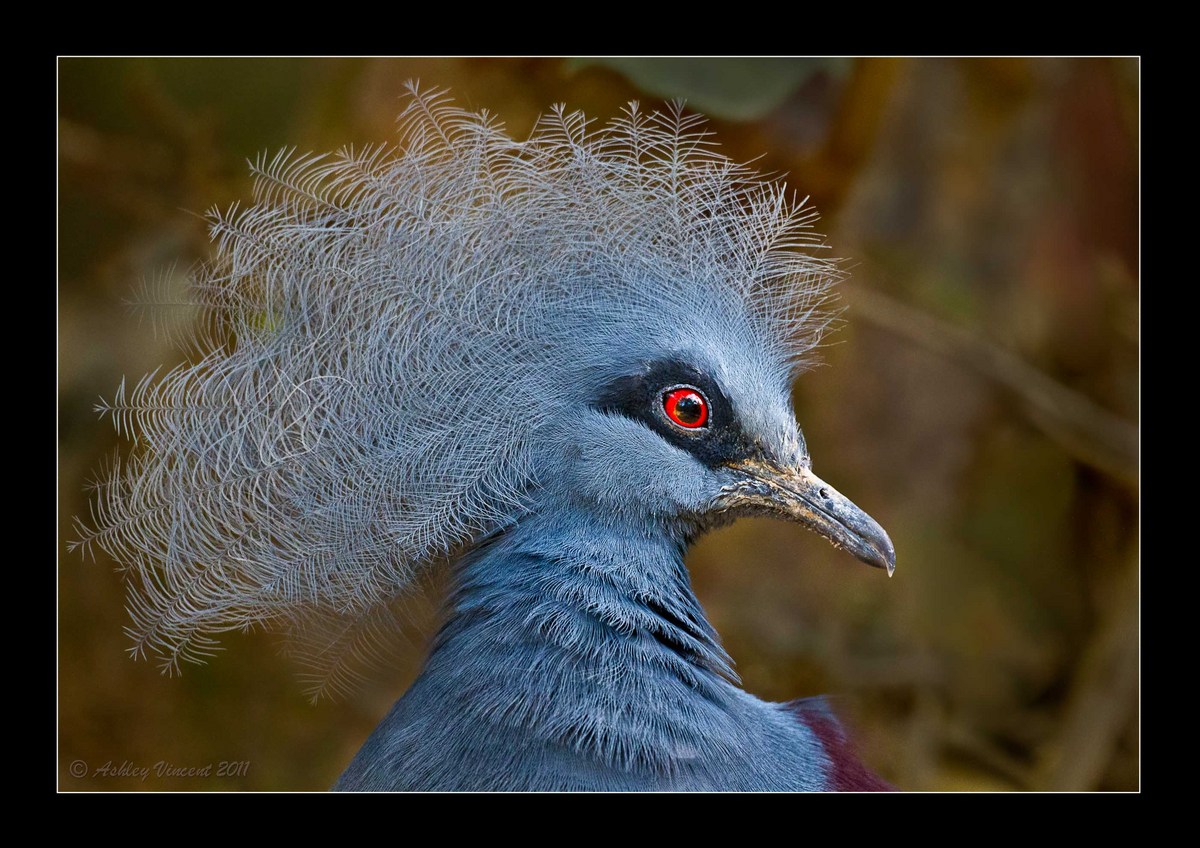
Subject: Victoria Crowned Pigeon (captive)
The third in this 4-part series of striking head shots is the Victoria Crowned Pigeon (yep, it's a Pigeon!), named in honour of the former British monarch, Queen Victoria, and is native to the lowland and swamp forests of Northern New Guinea, which is (for those unfamiliar) the second largest island on our planet situated directly above Australia on the map and looking something like a giant Sea Turtle with it's mouth agape … though I'm not here today to give you geography lessons, so let's move on ;^)
This is quiet a large, full-bodied bird and is mostly blue in colour like you see here, with the exception of it's maroon coloured chest. The most spectacular feature of this bird to my eye is it's exquisite lace-like crest, well, that and it's dazzling red eye.
As to the picture itself, I have a bit of a love-hate relationship with it; due to the low ambient light under the canopy of the avery, which is where one finds these VCP's, high ISO seems to be the only way to go if one's to stand any chance of getting a well-focused shot, as they rarely stand stock still. This of course introduces (to my eye) unsightly grain, which more often than not I can easily iron out with NR.
Thing is, with the extremely delicate latticework of the subject's crown it's virtually impossible to make a selection of only that, inverse, then apply NR only to the background, as is usually my method. I've also tried Topaz ReMask 3, but even with that I haven't been able to get an accurate enough selection.
To make matters worse, there's a relatively bright green leaf directly above the subject's head, and try as I might, using a combination of Clone, Patch, and Spot Removal tools in PS, I just can't seem to remove it in such a way that it doesn't end up making that area look completely unnatural.
Luckily I wasn't watching the clock, as I'd surely be embarrassed to admit exactly how long I've worked on this image, but we're talking well over an hour ;^.
In the end I decided better that cocking it up completely I'd crop a bit more from the upper edge of the frame and darken the background. The image you see here above, as well as the larger version, has some artefacts present caused during compression; in much larger-sized PSD file none of this is noticeable.
I'll add below an earlier version I made where the background is lighter. I'd be interested to know people's preference between the darker and lighter versions, thanks in advance.

Comments
18 commentsRay
Gary: Next opportunity I have with these VCPs I'll endeavour to grab a few images that show their heads along with their bodies ;^)
Jim: Having had so many disappointing results in the first few months I had with my 7D using Auto ISO I rarely rely on it now, however, in situations like this where the ambient light is too low to bring up a fast enough shutter speed while in aperture priority, and where I'm in relatively close to the subject, I have found the high ISO settings it choses quiet often produce a level of grain that isn't so noticeable in the subject and an amount that I can easily enough work on in the background. My guess is this has more to do with the closer proximity the subject is to the lens than anything else, but I could be wrong.
I have some head shots of this one taken at the San Antonio Zoo.
But the BG was so bad I couldn't use them..Good job on the BG here. Only suggestion would be to go a bit further & remove the light diagonal coming in above the head.
Well done
Cheryl & Angela: Yep, this sure is one funky-looking doo and hardly a hairstylist's dream to work on - LOL ;^)
Angela: Yep, I surely do remember Michael Keaton in Beetle Juice and, now that you mention it, I can also see the resemblance :^)
May