Flycatcher
by Steve Balke
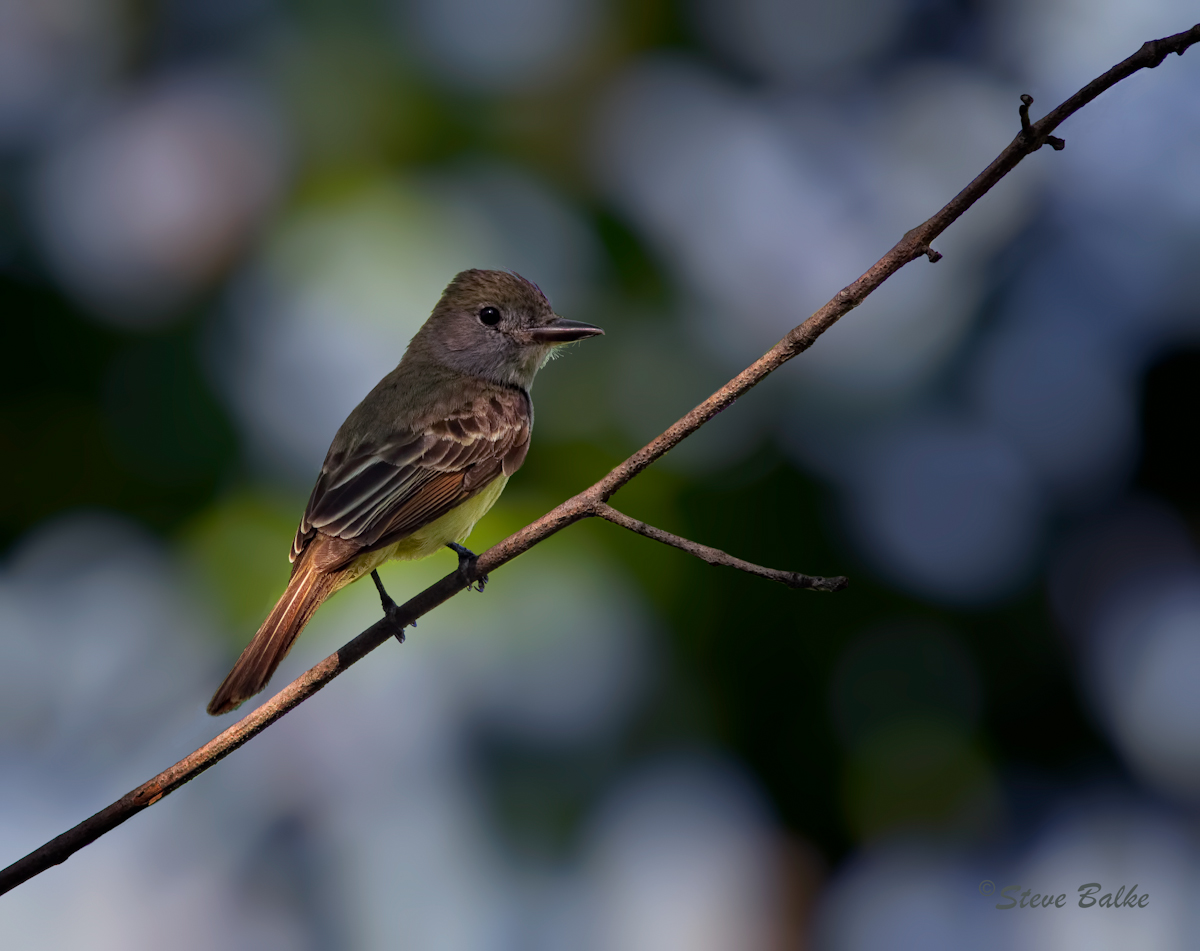
I'm not sure but I believe that this is a Great Crested Flycatcher (Myiarchus crinitus). It was busy chasing after another one: it looked like some kind of territorial dispute. At any rate, this meant that, unlike previous occasions, it didn't notice me until after I managed to capture this image.
This little bird was rather lost in a very leafy bg. So, I applied Bokeh 2 to the bg and simulated a Canon 300 mm f/2.8 at f/2.8.
The image before application of Bokeh 2 is shown below.
All comments most welcome.
1D Mark IV, 400 mm f/5.6, 1.4x TC, hand held: ISO 1250, 1/1000 s, f/8, 2/3 EV, 10.3 MP (64% of 16 MP full frame), NR, exposure adjustment, sharpening.

Comments
10 commentsI have that SW, but just haven't used it much with my birds except to experiment a few times..then I kinda forgot about it.
When you have some time, can you send me an email describing briefly what steps you used?
I agree with some of the others that overall it's a bit dark..
Have a great 4th my friend!
I began with the completely processed image (my usual NR, exposure adjustment and sharpening) and then carried out the following three steps:
i. Decide what you want to NOT be blurred and select it. This is the most important step. In CS5 I used refine edge and then followed that up with refining the selection even more via Quick Mask. I used a Wacom Intuos 4 tablet instead of just a mouse too. You need to be very careful because any errors in your selection will show up as unblurred areas in places that you want to be blurred. Save the selection as an alpha channel.
ii. Run the program with the selection (bird and branch in my case) showing in the image surrounded by the usual marching ants. The program is simple to use: you just pick a lens system and modify the look further if you wish (I didn't do any modification here---I just used the settings for the Canon 300 mm f/2.8 at f/2.8). It will blur the un-selected image area only.
iii. Inspect the result and decide how best to refine the image. You may wish to separately change the exposure on the bg and on the selected region (bird and branch in this case). Since you have the selection stored you can recall it and use it as you see fit to do this. I actually generated two layers (one with bird and branch only and one with bg only) and played with each. At this point you need to carefully inspect the border between blurred and unblurred regions and make any repairs that are necessary (hopefully there won't be many).
You can flatten it at that point if you wish and that's all folks! (you know if you flatten it though that you will have trouble going back to lighten the bird alone!).
P.S.: Happy 4th to you all........and happy 1st too (Canada Day).......I celebrate both!
P.P.S.: All further questions welcome.