Other Side/Sunset+REPOST
by Wayne Jones
The Other Side of Sunset
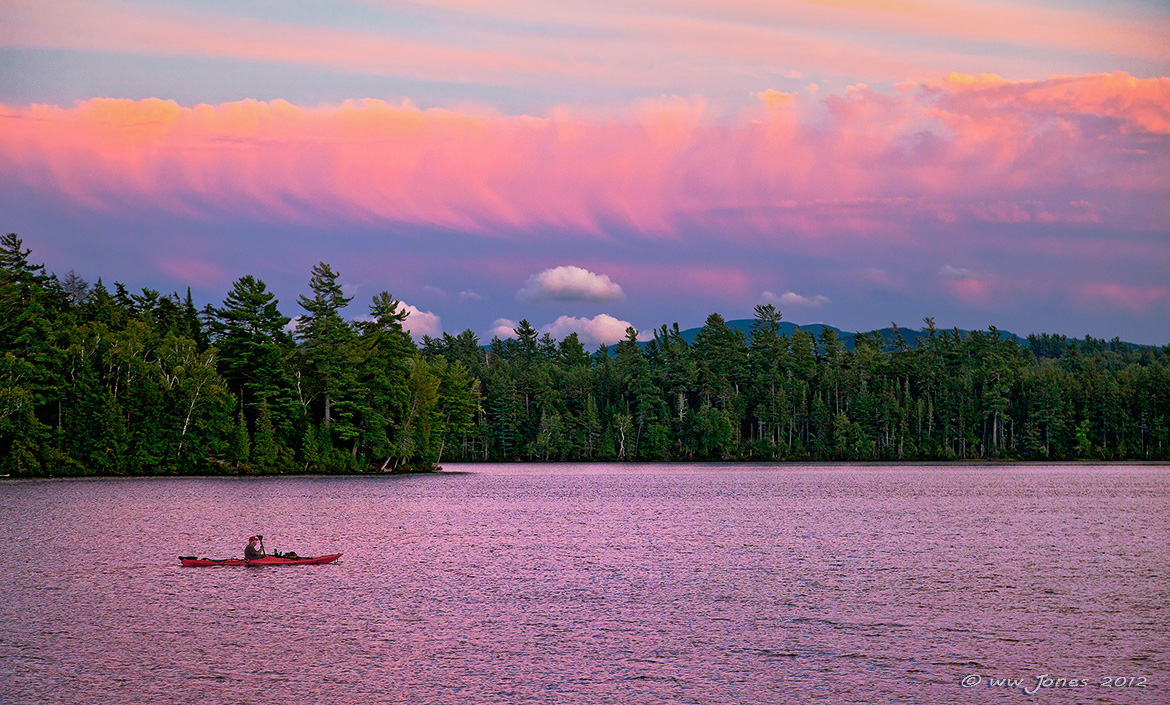
I quit fishing early to get my tripod on the island for sunset, but the western sky was mostly clear and bright, right up to sunset. After sunset, I remembered seeing clouds in the eastern sky earlier, so I walked to the other side of the island. When I saw this, I started running around to find a break in the trees to shoot through. (Please see the larger version)
P.S. Sorry for the grotesque colors, especially if you are viewing with in Internet Explorer (instead of Firefox) or on a wide-gamut monitor. I'm slowly working on my color management problems. See REPOST, below.
Canon 5DII
Canon 24-105
1/200 sec. @ f/5.6; ISO 320
Exposed for sky, so I double-processed in ACR to create a layer to bring up the details in the trees. Hand-blended in CS5.

Comments
10 commentsMARSEL: Thanks for the thoughtful critique. I'm afraid this one has me baffled, and it's not a new problem for me. Over-sharpening the water is easy to understand; a dumb error while sharpening the Web size reduction. But those clouds were a big problem for me. The sky was so spectacular that I wanted to reproduce it in the image. The problem is that when I changed from Adobe RGB to sRGB, the colors totally flattened out. It was a huge disappointment, so I went back and "over-cooked" it to try to retain as much of the original color and tone as I could when I switched from Adobe RGB to sRGB. This sort of thing has been a problem for me ever since I got a wide-gamut monitor. My Adobe RGB prints (using calibrated wide-gamut monitor and wide-gamut printer) look great now, but I can't tell how my images look on the Web on other people's computers. I see huge differences between monitors and browsers (Firefox vs. Internet Explorer). I know this looks pretty bad on my wide-gamut monitor in Firefox, but not so bad on my old monitor. However, I just looked at this using Internet Explorer on my wide-gamut monitor, and it looks as garish as a neon sign on the Las Vegas Strip! I don't know what to do.
I am really lucky that you commented on this, because this one, because I don't think many people look at this gallery. I have considered asking for help in the forums, but have not taken the time to try to explain my problem. I'm off on another canoe trip now, but hopefully I'll find time to address this next week.
P.S. BILL: You commented as I was typing. I appreciate your observation, too. Gotta run now, but I hope I can get some help next week. I should mention that most of my adjustments on this were to brighten the trees and water. Did not mess with the sky until I tried to fix the sRGB conversion prolem. Sorry about the kayak! (Some good used ones around -- I just sold one.)
Nick Bristol
Lone Rock, WI
Wow, what a great time and moment to be either on the lake in that kayak - or from your vantage point - either works for me!
Aside from the mentioned sharpening issue - I agree the water is a bit over sharpened - as are the trees; at least it looks like to me just a tad. As far as the color goes, looks pretty good to me and quite believable. We've all seen some spectacular skies in our time and adventures. But I will say this, I displayed this page/image in IE, FF and Chrome, all side by side. they all looked identical to me. The key is having the tagged srgb profile which is the safest way to ensure images look the same across browsers. Personally, I think the issue is these new wide gamut monitors that display 100 billion-gazillion colors. I know Harley and others have had these issues... but for the rest of us poor-folk, the color is certainly not grotesque on my monitor (never mind it's a 1970 CRT with tubes.... )
Lon