Repost - Fall Stream
by LeRoy Gunderson
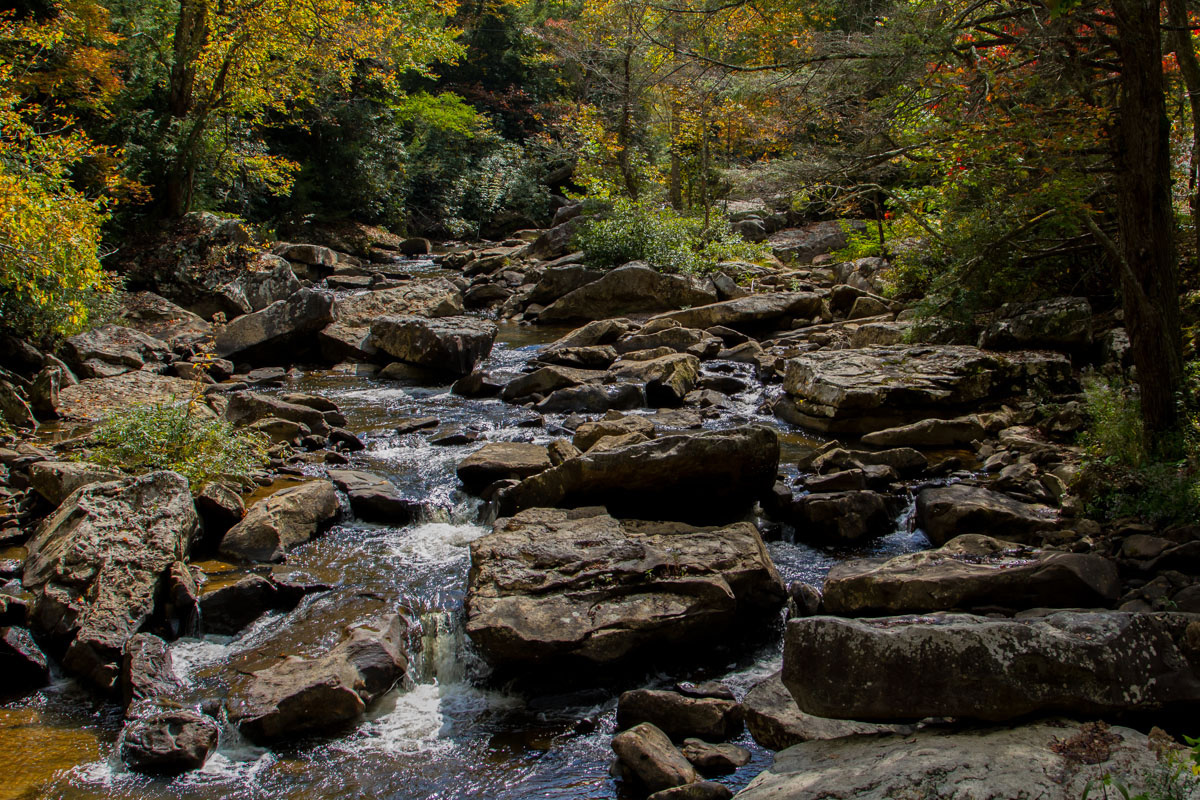
I tried to adjust this photo after reading the comments on my original post. I cropped to exclude the road, tried to reduce the harsh light and also bring back some detail to the stream.
Canon 7D
24-105 lens
1/125 f8
I am willing to learn so comments are always welcome.

Comments
4 commentsPeter
Thanks for the repost and taking the time to consider the feedback. I also think this is improvement, especially in handling the detail in the water and the hotspots, they're gone! And good job with the crop, the comp is improved as well. Overall, the exposure is darker and especially darker on the right. What I think would work here with this image is some selective dodging and burning. This requires masking and painting selected areas, like lightening the shadow areas on the right as opposed to globally adjusting the image. Lots of tutorials on the web and if you haven't already, go get, read and install Tony Kuyper's tutorials and actions. goodlight.us/tutorials
One other comment, which may be obvious. Yes, we can always process our images to correct/improve many aspects of an image. But there is no adjustment or correct though that can correct things like harsh light. In other words, the solution might be to return at a later time in the day, etc. Of course that's not always possible since so many of our images are during a one-time visit and that just happened to be the time you were at the location. And the hot light isn't always bad - as I mentioned it works great for back lighting leaves, but did create heavy contrasts in the rocks and water.
Lon
I do know that the light is something I need to be more attentive of as I am taking photos. Getting better in Lightroom would help too.
Thanks again.
Today with digital, as opposed to film which I am accustomed to, we had to live with whatever the film captured. If it was harsh contrasty light you had to give up something with film either the highlights to retain detail in the shadows or vice versa the shadows to retain detail in the highlights. In your previous post of this scene, it looked like you had ample detail in the shadows but lost them in the highlights. In this one its just the opposite. If I can assume that you simply re-processed the same raw file for this rendition, I would do a little more work and try to blend the two so that you can retain detail in both areas. You will need to use some detailed masks, like those Tony Kuyper has created in his Luminosity Masks actions, but I think it will be well worth the effort - if for no other reason other than to learn, it will still be worth it.