Damselfly
by Randy Runtsch
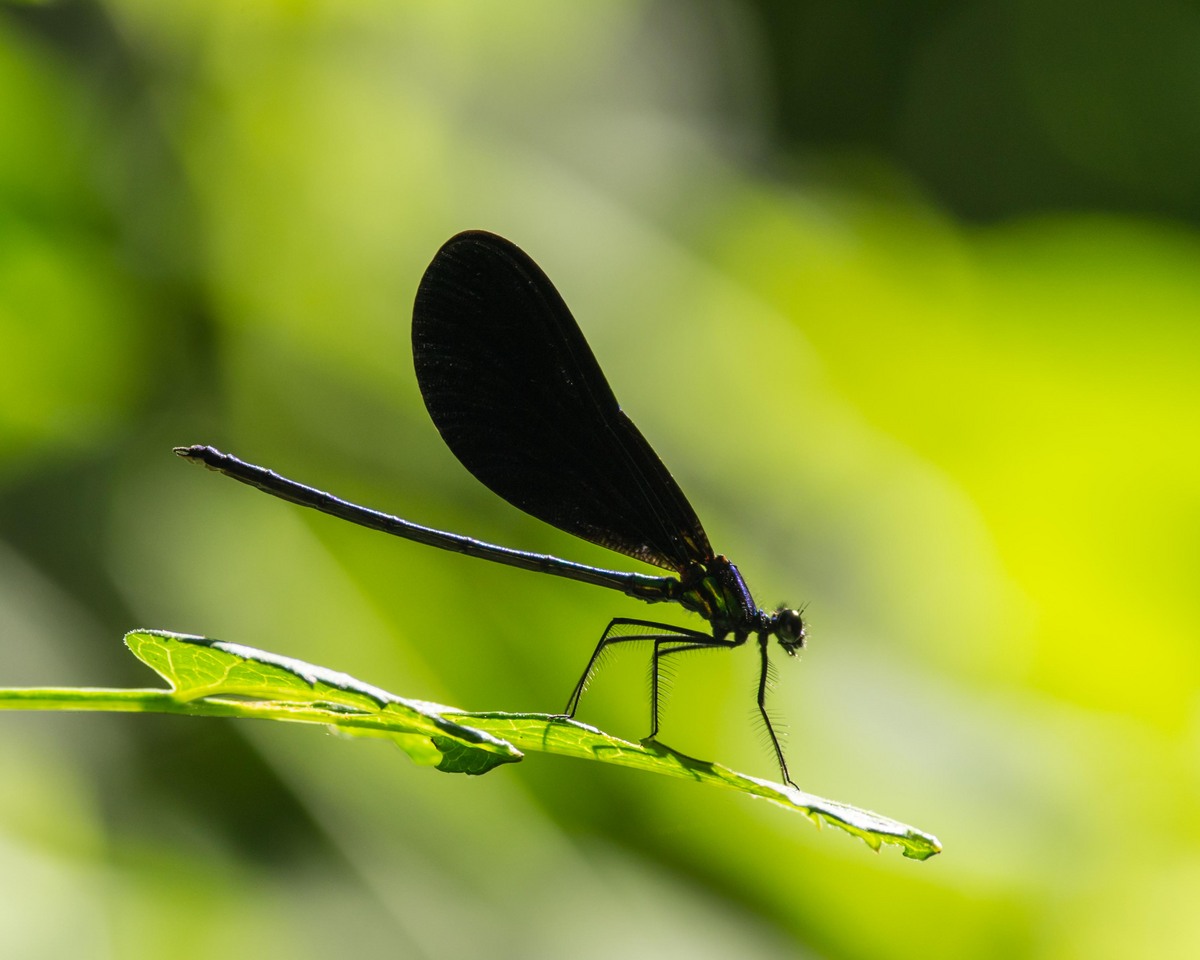
I spent many summer mornings this year photographing damselflies and dragonflies. The ebony jewel wing damselfly, like this one, was a favorite subject. While I am satisfied with the composition of this photograph, the focus on the subject, and the details, such as the hairs on the insects head and legs, it would be great to bring out some details in the wings.
Does anyone have suggestions for how to bring out wing details without over-exposing the picture? also, the area bottom-left of the photo has been burned in a bit, but would you suggest any other burning or dodging? I use LR4.
Pentax K-5 DA* 300 at f/6.7, 1/500 sec, iso 400

Comments
7 commentsThis is obviously a very tough exposure situation and I have come across it myself shooting these Jewel wings. A very weak flash (stronger would create hot spots in the wings) and creative processing is what I have done.
I am sure other members will offer more ideas.
1. Requested—Select the wing. CTRL J (in PS). Levels adjustment>lighten to taste>flatten the image
2. Not requested—If you have CS6 or CC {I'm not sure CS5 has this feature)>Content aware patch selection of the dark area in the URHC>drag down frame until the selection is entirely in the yellow green>release. La voila, you have a seamless patch covering the dark and a suitable boundary, which hopefully you included in the patch selection.
Unfortunately, if your processing ends in LR4, you can do none of the above, as they depend on selection and layers. You might do this in Elements, except the Patch selection. That you would have to do with a clone brush.
Phil, thank you or the Photoshop processing suggestions. Currently, my post-processing ends in LR4, and I have not used Photoshop, by my wife has the CC version on her iMac, so I'll ask if I can borrow the computer for a while to start learning how to use the product.
The only way you could shoot in light like this is using flash as mentioned.
Or you can try shooting earlier/later putting that sun behind you..
Once you've lost the detail to UE, not much you can do in PS.