Gallery: AvianPosted February 25, 201459 views7 comments
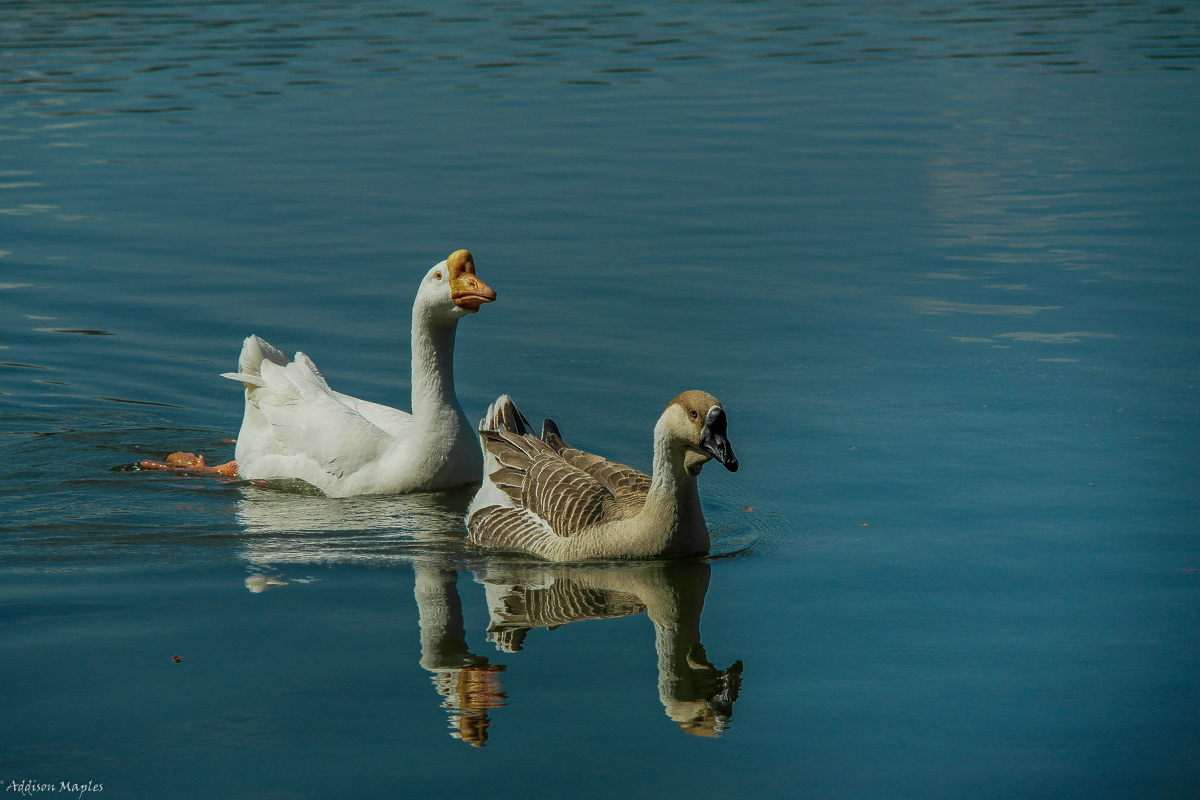
Always together are these two geese. Shot at Lake Davis in Orlando Florida.
Samsung NX20
180mm
f/5.6
1/2000
ISO 400
Comments
7 comments
Comment posted by Philip Hodgkins on February 26, 2014 at 12:15 AM
Well seen and caught. There is a bit of cyan cast, easily removed.
Registered on July 24, 2006, 2741 Posts, 12349 Comments
Comment posted by Dennis Plank on February 26, 2014 at 1:00 AM
Excellent dof, Addison, and you handled the whites well. In fact, it looks as if you might be able to brighten the image a bit more without blowing out the whites. For my taste, I think I'd prefer them a bit higher in the frame, though the left-right positioning looks excellent to me. Nice image.
Registered on January 28, 2008, 1767 Posts, 23192 Comments
Comment posted by Jerry Austin on February 26, 2014 at 2:12 AM
This has the potential to be a very nice capture. For me, the color kind of spoils it. I would work on the color as Phil suggested and repost.
Registered on January 6, 2012, 651 Posts, 3448 Comments
Comment posted by Keith Bauer on February 26, 2014 at 2:29 AM
Looks like an image with some potential. It definitely has a blue/cyan cast and is a bit dark. Here's a quick bit of work to remove the color cast.
Registered on November 20, 2003, 458 Posts, 4836 Comments
Comment posted by Addison Maples on February 26, 2014 at 3:51 AM
I think I understand what you guys are saying. I tend to overdue my colors in processing. Here's a better representation of what the colors were like in the original. I also took out the spotlight effect so that the image didn't have a shadow over it. What do ya think?
Registered on February 16, 2014, 10 Posts, 7 Comments
Comment posted by Rick Cloran on February 27, 2014 at 7:22 PM
Addison, your repost is much closer to realizing the potential of this nice capture. The easiest way to deal with casts and the like is to set a clean white and black point for the image. You find and set the points using a Threshold adjustment layer and he eye dropper tool. You make the color and tone correction by adding a curves adjustment layer and using the white and black eye droppers on the corresponding points. If you like the correction you throw away the Threshold layer and remove the two color points. If you are interested in the details of that process drop me a line and I will go through the steps. You can even send my the small jpeg you posted initially and I will send you back a PSD or Tiff (your choice) with the layers in it.
Registered on April 6, 2004, 119 Posts, 1989 Comments
Comment posted by Jerry Austin on March 2, 2014 at 11:36 AM
The repost is much better, but could still be tweaked a bit. The wrong color balance can ruin an image, but it is one of the easier things to correct.
Registered on January 6, 2012, 651 Posts, 3448 Comments

Comments
7 comments