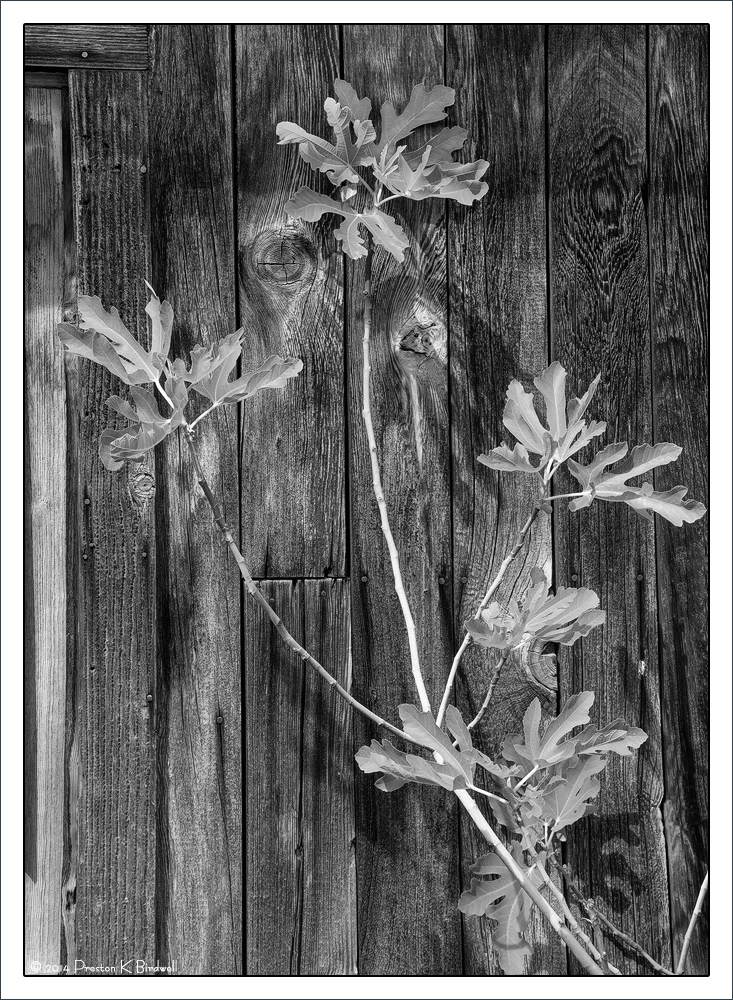
New fig leaves and weathered wall in Columbia.
I used the B&W Adjustment Layer in CS6 to convert this. If you use CS6, this adjustment layer works very well for creating B&W images because you can adjust the luminosity of each color channel. Here's how to use it...
1. Open your image in RGB color space.
2. Create the B&W Adjustment Layer just above the Background layer.
3. Adjust the sliders, or use one of the presets, which affect R, G, B and C, M, Y, to taste.
4. Use Curves or Levels layers and their masks if needed.
5. Save the file, making sure it is saved in your RGB color space.
Give it a try.
Nikon D7100
Nikkor 18-140mm @ 40mm
F11 @ 1/60, ISO 200
Please see the large version. Thanks.
Your thoughts are always appreciated.

--P

Comments
5 commentsThe old weathered walls textures & grains makes a great backstop for the new fig leaves too..
Thanx for the info on how you made this, nicely done!
You seem to be missing a couple of border lines on the small image and one on the big?
Hmmm? They are there. They are PS 'strokes', each is 2px wide. Sometimes they sort of blend in with adjacent tones.
Thanks for the comments.
--P