On the Scent
by William Bickle
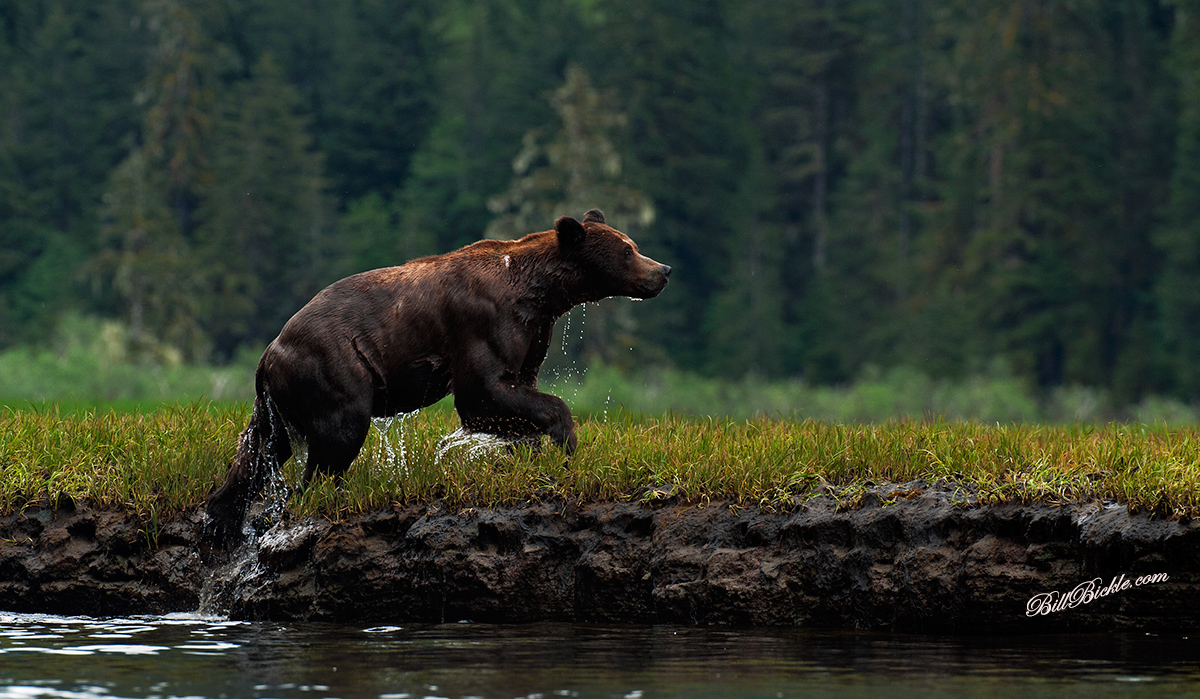
Male Grizzly Bear on the Scent . It's breeding season in the Khutzeymateen and this fella has a female bear in his sights.
After swimming the estuary waters and climbing the bank of mud , his dripping water and wet fur give a sense of perceived action while he is in stride.
D700, combined with 200-400 F4 VR lens in normal mode.
taken @ 400mm, F7.1, ISO 640 -.67 Meter Compensation
Hand held from a floating zodiac boat
this is about 75% of original.
Comments and critique appreciated
Bill
www.BillBickle.com

Comments
12 commentsDidn't you post this same image a few years back? Anyway...I like the subject positioning, the inclusion of the water for context, the water running off the body, your effective use of DoF, and the dynamism of the image. To me the image feels a bit too dark in places, especially on the bear itself. I very much appreciate dark, rich tones myself, but even for me there's just a little too much of the blocking up of the blacks on the bear (e.g., the side of the head below the ear which isn't really in the shade). Note that I listed 5 positives and only one negative (and even that is personal preference and easily dealt with in post if you choose to do so).
Cheers...
Brad
Hisham
Yes , a Similar post but taken a few seconds prior to that other post.
When I posted & looked at this post , I too did feel it appeared Very Dark, then looked at my image on my computer & it seemed Ok .Not sure how it darkened so much in the transfer ?
Anyway, Thanks for the Feedback and Critique.
Gotta Love those Khutzeymateen Bears, & I am very excited to have another Khutzeymateen Adventure in 2015 !! :)
Bill
Max
Thank you for the feedback.
I too find this too dark.
I would like to Repost but I can not find where & how to do this ?
Bill
To add a re-post to a thread, just add a comment and then include the new image - but it can only be up to 720 pixels on the long axis (and note that the "Choose File" button is below the line of icons below the commenting box).
You commented earlier that the image looked darker after transfer - the actual transfer process shouldn't change the image at all...so I'm wondering if your particular web-browser is showing images darker than they're appearing when you look at them locally while using something like Photoshop. You're on Windows - right? If that's true I can't even begin to hope to untangle the issue remotely (such as suggesting web-browser tweaks or an alternate web-browser where the brightness more closely matches local display of the images...
Cheers...
Brad
PS: Assuming that the file you uploaded was already in sRGB - right? Definitely don't want to upload files that are in Adobe RGB or Prophoto RGB - THEN the transfer process may well shift colour and/or brightness during an automated conversion to sRGB.
I have increased Exposure a little & Brighten a little.
Thanks for the assistance.
Bill
While it's often fun, I'm not leaving this comment solely to badger you! To me the re-post doesn't help much - when I line up the original post with the new post the greatest differences in exposure and brightness between the two shots are in regions that didn't really need brightening - the grass around the bear and background. The areas that needed more opening up of the shadows aren't opened up much at all - with the result that the subject is still too dark in critical areas. Wondering if the original capture was just TOO underexposed and there simply isn't any shadow detail there to recover??
Cheers...
Brad
hoping it shows better
I'm with Ashleigh and Nate - liking the 2nd re-post considerably more.
Good stamina!
Brad