Gallery: FloraPosted August 25, 2015743 views6 comments
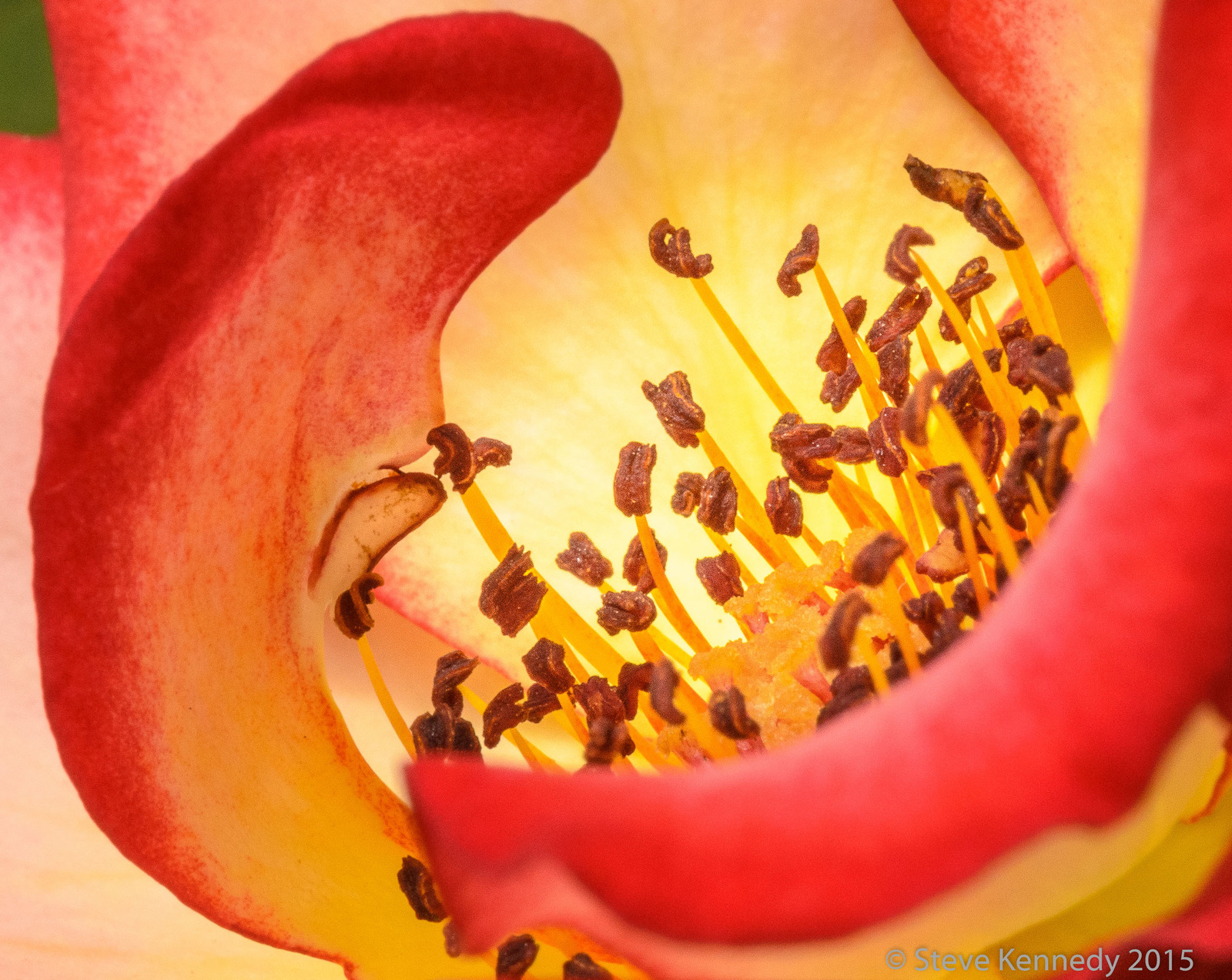
I spent a good portion of the day yesterday shooting roses and dahlias - so much better than working!
D7000, 150 macro, ISO 800, f/32, 1/125 sec
Comments and critiques welcome!
Comments
6 comments
Comment posted by Richard Teller on August 26, 2015 at 5:01 PM
Nice use of lines and color. Nice work.
Registered on August 23, 2010, 1162 Posts, 6692 Comments
Comment posted by Ramamohan Pai on August 26, 2015 at 8:19 PM
Steve - Well seen and great focus on the anthers in the center. I wish the green in the top left corner was also occupied by the petals.
Was this a big crop ?
Registered on November 1, 2003, 550 Posts, 9037 Comments
Comment posted by Steve Kennedy on August 26, 2015 at 8:39 PM
Thanks for the comments guys! Ram, this is about 75% of the original. I would love to have the upper left corner be covered with a petal as well, but I didn't like the result of cropping out part of the swirl.
Registered on March 9, 2009, 79 Posts, 676 Comments
Comment posted by Philip Hodgkins on August 26, 2015 at 9:19 PM
Procedure for filling out ULC. First select all the flower except the green and the part below the green. Elevate the selection as a copy to the top layer. Select a narrow vertical rectangular selection on the bottom layer from just below the green, slightly wider than the green, all the way to the bottom. Click on the selection tool. You will see handles at the corners of the selection. Pull the top of the selection to the top of the frame. Validate the selection change by clicking the checkmark at the top of the PS desk top. Flatten everything and la voila!
Other than that area, my one other nit is the OOF right lip. This could have been done away with by a second focused image of the right lip, then cloning it on to the unfocused one.
Registered on July 24, 2006, 2741 Posts, 12349 Comments
Comment posted by Steve Kennedy on August 26, 2015 at 11:32 PM
Thanks Phil! I will practice that trick until I can do the same.
Registered on March 9, 2009, 79 Posts, 676 Comments
Comment posted by Mark Seaver on August 30, 2015 at 9:58 AM
The warm colors and the big swirl look great here, Steve. Getting most of the stamen sharp is a nice bonus. An alternate way to "fix" the green area, ulc, in photoshop is to loosely select that area and use content aware fill...often works well, sometimes creates new headaches.
Registered on January 23, 2011, 1103 Posts, 17270 Comments


Comments
6 commentsNice use of lines and color. Nice work.
Steve - Well seen and great focus on the anthers in the center. I wish the green in the top left corner was also occupied by the petals.
Was this a big crop ?
Thanks for the comments guys! Ram, this is about 75% of the original. I would love to have the upper left corner be covered with a petal as well, but I didn't like the result of cropping out part of the swirl.
Procedure for filling out ULC. First select all the flower except the green and the part below the green. Elevate the selection as a copy to the top layer. Select a narrow vertical rectangular selection on the bottom layer from just below the green, slightly wider than the green, all the way to the bottom. Click on the selection tool. You will see handles at the corners of the selection. Pull the top of the selection to the top of the frame. Validate the selection change by clicking the checkmark at the top of the PS desk top. Flatten everything and la voila!
Other than that area, my one other nit is the OOF right lip. This could have been done away with by a second focused image of the right lip, then cloning it on to the unfocused one.
Thanks Phil! I will practice that trick until I can do the same.
The warm colors and the big swirl look great here, Steve. Getting most of the stamen sharp is a nice bonus. An alternate way to "fix" the green area, ulc, in photoshop is to loosely select that area and use content aware fill...often works well, sometimes creates new headaches.