... or not. California oaks have been stressing for years, recent drought hasn't helped. I was cruising home, still keeping an eye on the sky and looking for that grand oak. This was captured exactly 1 hr after the previous post.
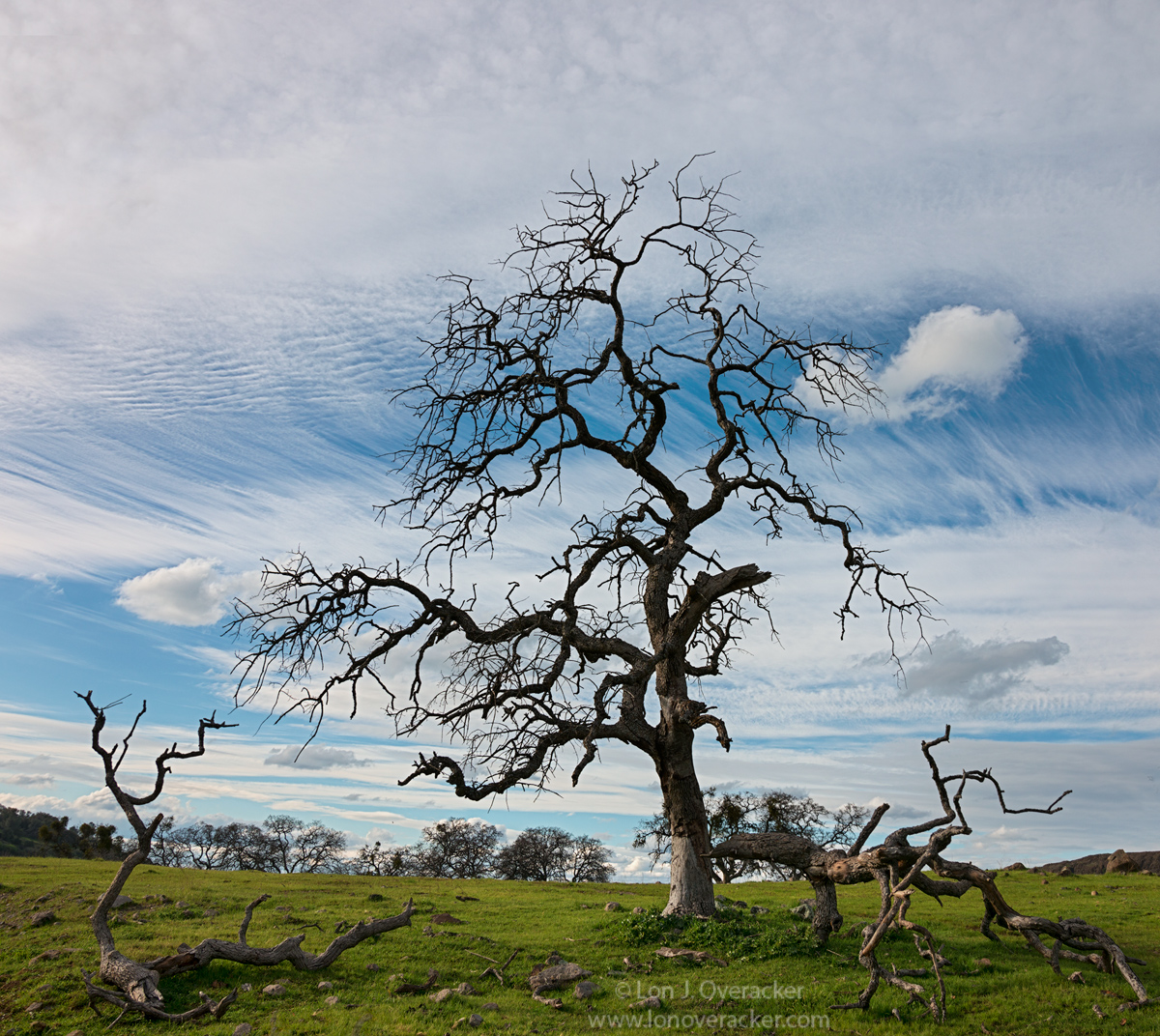
I spied this silhouette in the corner of my eye while cresting a hill at 50+mph - a drive by. A mile or so later I made a u-ie determined to capture this oak. Of course when I got back, I discovered it was going to be a challenge. I couldn't get the whole tree from the road, so I had to scramble up a steep 12-15' embankment. At the top, there wasn't a ledge to speak of as the barbed wire fence was right on the edge. Anyway, awkward foothold, straddled the tripod thru the wire, and relied on the wire and metal post for stability.... sounds pretty dangerous eh? Just like traversing a glacier with an ice pick or something....

The good news is that the vantage point revealed the ground and the fallen limbs; which I think add to and now tell a story beyond just a silhouetted oak tree.
Would love your thoughts and comments on this, especially processing. B&W would be an option here, but like the other image, the green grass with the blue and white sky seem to go well together.
Thanks!
Lon

Comments
13 commentsThis is an interesting image that is not necessarily pretty but definitely tells a story. Processing looks good but my inclination is that this image would be more powerful and graphic in B&W. No biggie, but if you have more to work with I also would like a tad more room on the right.
@Dave. Agree, that I think with the make up of the sky, and the "story" that b&w could make that more powerful. Agree, and here's my effort. Also, this is a different frame, clouds moved and yes, I had more room on both sides. Originally I wanted to eliminate the bg oaks on the right, but including them I don't think takes away much.
@Igor, Thanks for the comments. This is a different frame and I think the top layer of clouds is a little better defined (not much diff in color version though.) And to your point with the grass/land, that was my concern. So in processing the b&w, I increased the yellow channel and targeted contrast in the grass as well. I think it's enough to help tell the story with the fallen branches as well. Least I hope so.
@Harry. I'm glad you mentioned the dark branches up top, I was wondering if anyone would. Good analysis too; in the RAW file, there is detail there, but as the branches get smaller in the frame, the details are compressed to the eye and in the web version, they go dark. I'm ok with that, after all, I new I was doing a silhouette type image. ;-)
I wanted to ask. What you you all use for converting to b&w? I will use the simple PS adj layer, but often times I'll use Nik's Silver EFex Pro. What really bothers me about this concept of the plugin is that you're simply picking between a number of options without really knowing what the H you're doing. Although I do make adjustments in the app, not just defaults.)
thanks again! Click to view large
Lon
Peter
Not the tiniest nit from me..
Sandy
I use CS6 B&W in adjustment layers to convert.
I tried using Silver Efex for B&W. For some things, it works nicely, for others...not so much. I am now using the B&W adjustment layer in concert with TK's masks for conversions. In fact, I went back to using only ACR and Photo Shop for all of my processing.
I almost always convert to BW using one of the rgb channels. Occasionally I'll use the luminosity channel from lab. It's not too rare that I'll use various parts of different channels that I like, using masks to blend them into a final version.