Gallery: AvianPosted October 6, 2017376 views8 comments
Thanks for the suggestions on the previous version
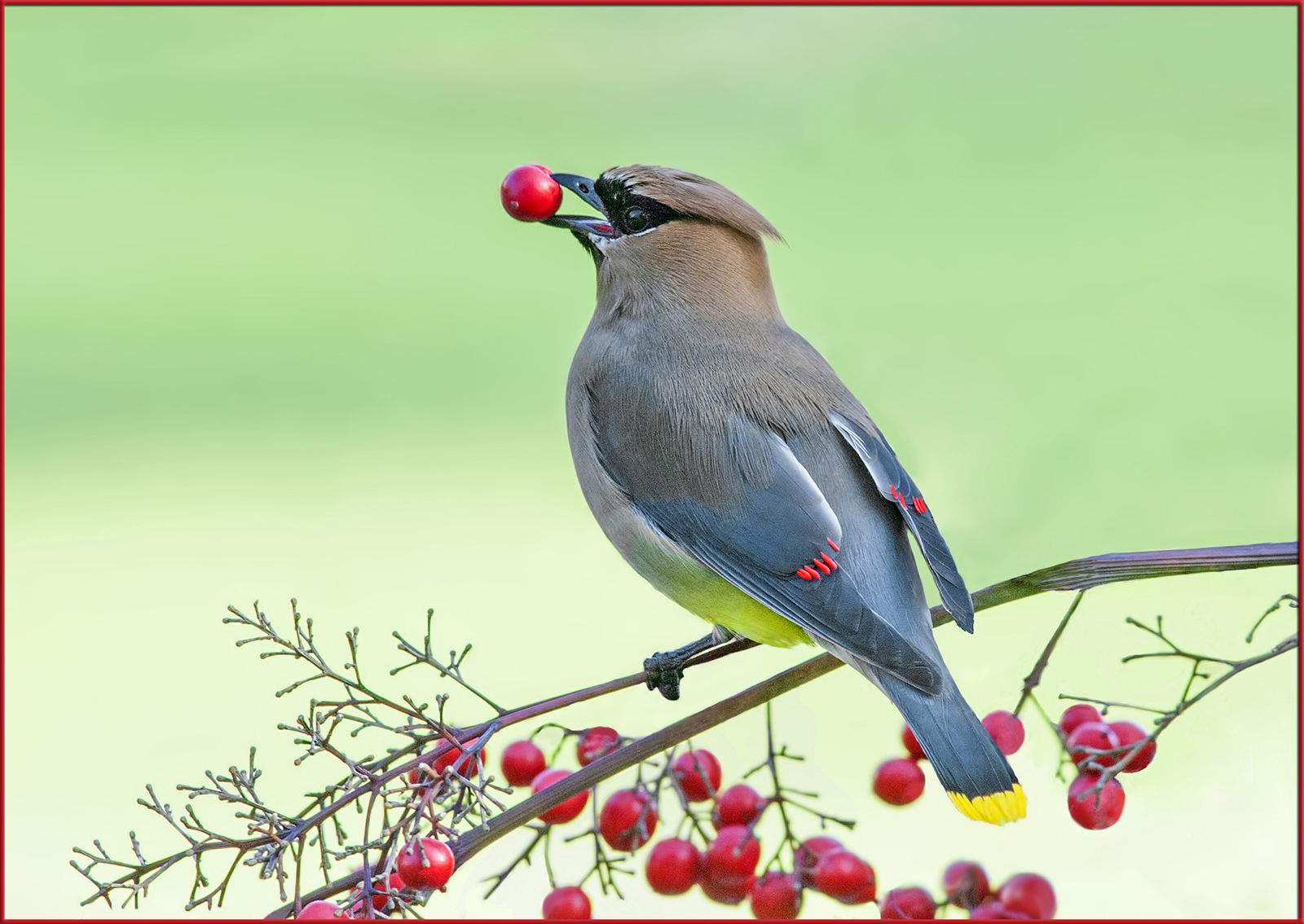
Cedar waxwing
500mm
1/160 sec, f/8
Mode: Av
Metering: Multi-segment
ISO: 320
White balance: Auto
Flash: Off
Comments
8 comments
Comment posted by David Schoen on October 6, 2017 at 5:00 PM
There is an improvement in clarity but the green fringing is still present and you have more green bleed through in the belly adjacent to the feet. Look at the green tinge there. Cedar Waxwing bellies are pale yellow not green. Is the BG your neighbors house? (You mentioned that once before.) Weird shadow artifacts can cause this. I use the desaturation sponge to eliminate this problem. And if the tree branches are really covered with moss, it just might really be there.
Registered on November 6, 2006, 1213 Posts, 4587 Comments
Comment posted by Keith Bauer on October 6, 2017 at 5:40 PM
Hi Sandy: There are elements that do look better than the original posting, but as David noted, there are still some odd things going on here. Any chance you could just post a jpeg export of the original RAW capture for comparision in this thread?
Registered on November 20, 2003, 458 Posts, 4836 Comments
Comment posted by Dennis Plank on October 6, 2017 at 6:08 PM
Nice, Sandy. I prefer this to the original posting, though to my eye, the bird still seems a bit bluish, though that might partly be contrast with the green bg. Excellent composition.
Registered on January 28, 2008, 1767 Posts, 23192 Comments
Comment posted by SandyRichardsBrown on October 6, 2017 at 6:18 PM
I give up! Software is not yet available to coonvert D850 RAW images to process ; they have to be converted to DNG which is probably clashing with this site's ability to post them, or MY ability to process.
sandy
Registered on November 24, 2003, 3937 Posts, 12909 Comments
Comment posted by Keith Bauer on October 6, 2017 at 6:39 PM
Sandy:
It isn't the DNG conversion. A DNG file will look just like the Nikon NEF file assuming you are not using some proprietary Nikon RAW processing software that would have the ability to apply an camera styles that you have have enabled. As I recall you are using LR and PS to do your processing. I still think we could help if you simply exported the DNG out as a JPEG with zero processing to post to see what's happening.
Registered on November 20, 2003, 458 Posts, 4836 Comments
Comment posted by Jim Gavin on October 6, 2017 at 8:46 PM
RE: "I give up!" I can't hear you. I can't hear you. Never! Keith has a good suggestion. It may result in transforming a wonderful image into an exceptional one.
Registered on August 14, 2008, 293 Posts, 1250 Comments
Comment posted by Jim Zablotny on October 6, 2017 at 8:48 PM
Hi Sandy,
You'll get this figured out. The blues have improved and now we just have to figure out the greens. Study the histogram for each color channel. You have to breakdown the image into testable blocks of data. The greens may actually be oversaturated and may need to be turned down. JPEG conversion can amplify subtle issues. ......................Jim
Registered on January 17, 2004, 705 Posts, 3594 Comments
Comment posted by David Schoen on October 6, 2017 at 9:33 PM
With respect to the software issue. I open the D850 files in Nikon View NXi which allows one to export directly into ACR, thus bypassing the DNG converter. With the DNG conversion one cannot set the camera mode from standard to neutral to landscape, portrait or whatever. I use portrait for 99% of my avian images. It does make a big difference. I do most of my processing in ACR but use Topaz Adjust to make the image pop. Final adjustments in TK luminosity masks and sharpening action. Topaz DeNoise if necessary. If your exposure is right on, there is and is little you need to do with the D850. Nikon View NXi is free from the Nikon site.
Registered on November 6, 2006, 1213 Posts, 4587 Comments

Comments
8 commentssandy
It isn't the DNG conversion. A DNG file will look just like the Nikon NEF file assuming you are not using some proprietary Nikon RAW processing software that would have the ability to apply an camera styles that you have have enabled. As I recall you are using LR and PS to do your processing. I still think we could help if you simply exported the DNG out as a JPEG with zero processing to post to see what's happening.
You'll get this figured out. The blues have improved and now we just have to figure out the greens. Study the histogram for each color channel. You have to breakdown the image into testable blocks of data. The greens may actually be oversaturated and may need to be turned down. JPEG conversion can amplify subtle issues. ......................Jim