The Big Picture
by Harry Lichtman
Large Image with Expansion Button
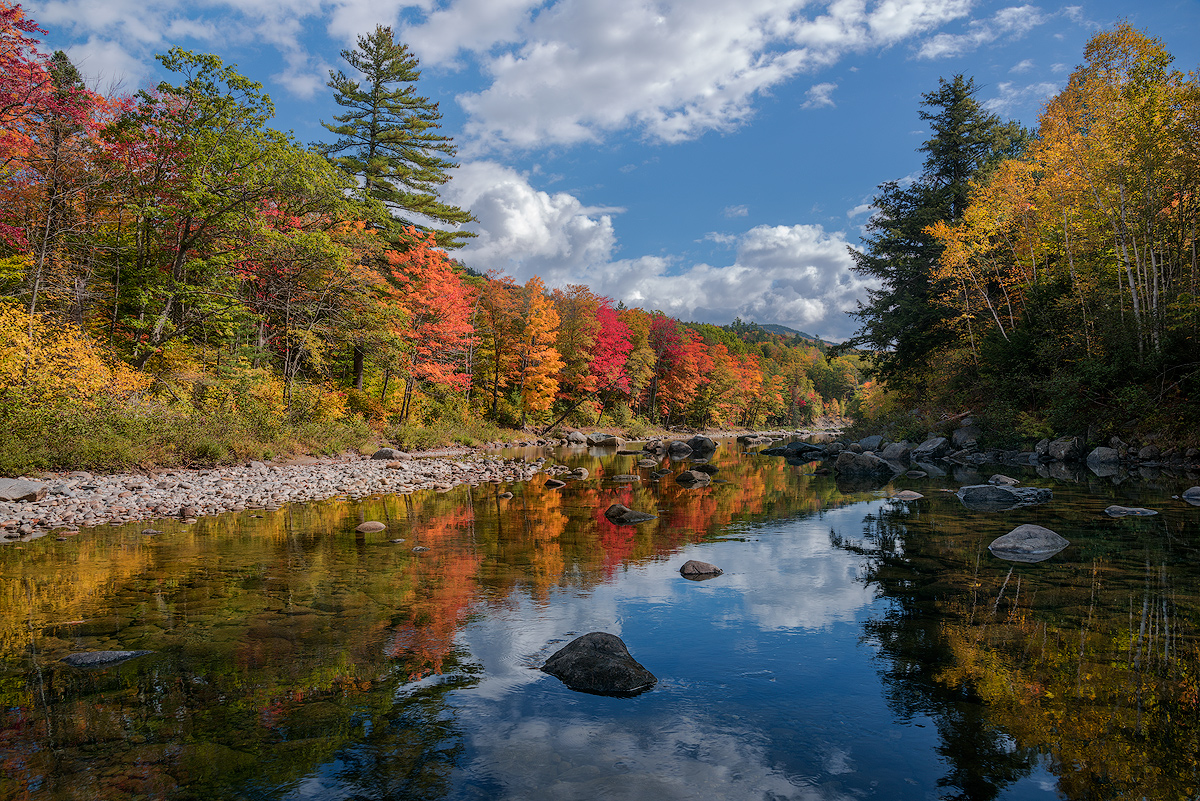
Thought I would post the big picture of the Carrabassett River Valley image I recently posted. This was the view that originally got my attention, minus some trees that obstructed this view from the road. I could see the distant reflection when sunlit, and thought it warranted further exploration. I don't generally go into much about processing, but this worked easily for me using a potentially high contrast scene that you might think would normally require a split ND filter.
This is a single exposure from a RAW, that I processed 2x for the dynamic range. After composing, I exposed to get a little clipping of the highlights on my LCD - slightly blinking highlights. This rendered plenty of detail in the shadows, without the need to try and recover them in Post processing. Since the LCD image is a jpeg rendering, I knew that the RAW file would contain enough info. to pull the highlights back in. I processed the base image using the original exposure, dialing back the exposure a little, since I didn't want the shadows to appear to light. In the 2nd process of the RAW, I just reduce the exposure, highlights and whites a little from the original conversion, layered it under the base exposure, and used the erasure tool to paint in the brighter half of the image - essentially the left side on a diagonal left corner to right corner. I did take another image as insurance but didn't need it. Heavy bracketing seems to be a thing of the past, in most cases.
D810, 24-120mm @24, f13, ISO 64

Comments
9 commentsAs far as the processing, I do pretty much the same except only process once. ( I do not know what you mean by processing twice).
If I expose even a midday scene properly with just some blinkies, I recover in Camera raw, and process in PS6 using normal masking, nothing very technical.
Everything in your photo appears exposed properly and a nice traditional comp.
The sharpness looks better in this compressed web photo also, not sure if you changed anything.
It is not that big a thing anyway for web posting, I am sure most people's normal files look fine anyway.
What a gorgeous location and conditions. You've captured a wonderful autumn landscape image. The colors, including the picture perfect blue sky and clouds are beautiful. Compositionally, the view down river gently pulls you in to the scene surrounded by beauty on both sides. Even on the right, there is enough detail in the shadows to add to the scene.
The previous image was of course a more intimate one, but both of these are just simply fantastic fall scenes. Love 'em.
Since I've mentioned sharpening a few times and you've mentioned you're still trying to nail it down, I thought I would add my .02. First though, I've received comments about crunchiness too, so I may not be an expert here. But I also use TK's Web sharpening tool (the v4 panel I believe.) You mentioned trying various opacity settings down to 75 from 100. Well, I actually have had mine set at 50 for as long as I've been using the panel. My horizontal images I usually set for a 1200px length. I've found that I still have to tweak the layers after the tool runs because I think most times the image is still over sharpened. Of course every image is going to be different. But for almost every image, I also reduce the opacity of the Sharpen #2 layer. I don't know what is happening technically, but this layer seems to increase the finer details - too much some times, so I back this layer off some. Of course you have to open the TK Web Sharpen group to get to that Sharpen #2 layer. Attached is a screenshot, which I'm sure I don't need to include - although there may be some that don't have Tony's action panel.
Anyway, research continues as they say....
Lon
--P
My main comment is the blue in the sky seems a bit pale. Did you use a polarizer? Not sure if you know this adjustment but try the HSL in Lightroom, then Hue, then the little icon right under hue. Then put the cursor on the blue sky and pull up and down and see how the blue changes. You might be surprised. Let us know if you try the adjustment. I would be very interested.
Otherwise beautiful image and well composed.