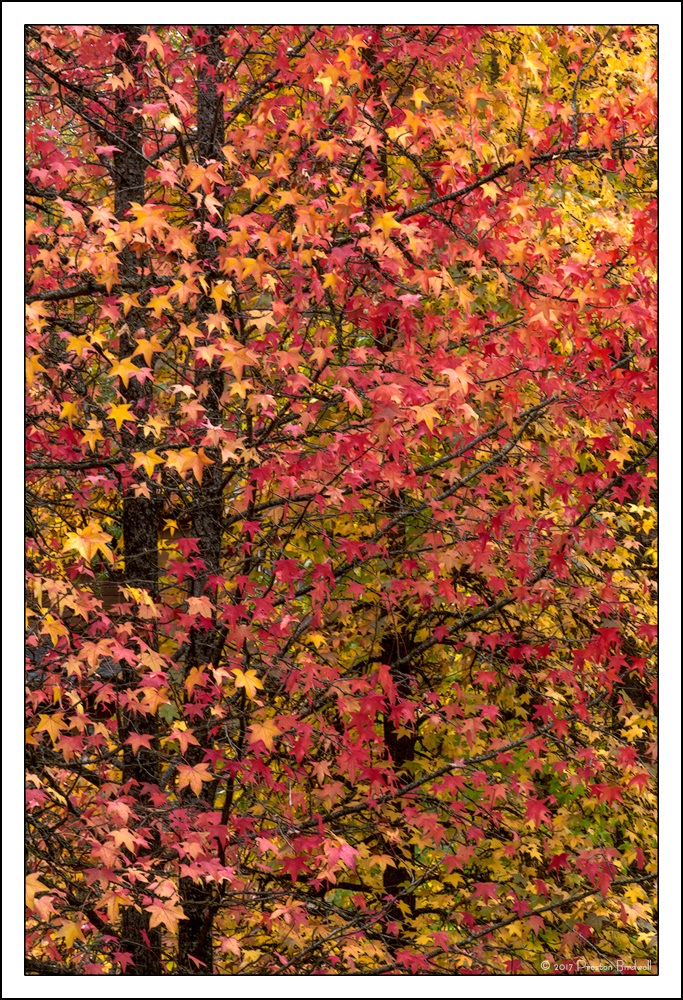
Sweetgum Profusion 2
by Preston Birdwell
This image was made a few minutes prior to my earlier maple image post. The conditions were basically the same: heavy cloud cover and misty rain.
When I originally processed this, I was not happy with the luminosity of the leaves, even after adjusting a light's layer. So, I thought, 'Let's duplicate the lights layer and see what happens. Hmmm? Too bright, now.' Next, I adjusted the contrast in the duplicated layer, while leaving the original layer alone. I think this trick worked. My question for you is: Did it work?
Nikon D-7100
Nikkor 18-140mm @ 105mm
F-22 @ 1/2 s. ISO 125
TK's masks.
Please see the large version. Thanks!
I appreciated your thoughts on my earlier image, and would appreciate your thoughts on this one, too.
Edit: Julia Flanagan, a forester, advised me that these are Sweetgum trees (Liquidambar styraciflua). That is why I corrected the title.
--P

Comments
13 commentsSilvia
I didn't think there was much you could have done to improve your previous image. That is unless you posted this one.
First, agree with Bill. I like the strong vertical comp. the trunks and the smaller branches still providing some structure and order to the scene - just like the horizontal image.
I'd say you really elevated the color presentation here. I understand duplicating an adjustment layer. I guess the question is really how much of an adjustment was done on the original. In other words, make zero adjustments on the Lights layer and you could duplicate it 10 times and nothing would change. But that's not too relevant, the end result speaks for itself. The colors are bold, vibrant and to my eye quite natural in color and saturation. You've got some excellent contrast as well.
This one is killer Preston!
Lon
Ed
Thank you for your comments and suggestions!
Given Lon's comment about duplicating layers, I thought I would post screen shots of the layer properties. The image on the left is the first layer in the stack, and the image on the right is the next layer in the stack. The 'Blending Mode' for each layer is set to 'Normal'.
--P