Nature Photographers Network
This is the preserved archive of the original Nature Photographers Network. The community continues at naturephotographers.network.
Pine Barrens
‹ PreviousPhoto Art GalleryNext ›

Pine Barrens

by Harry Lichtman

Gallery: Photo ArtPosted November 29, 20175,087 views5 comments
Large Version Included

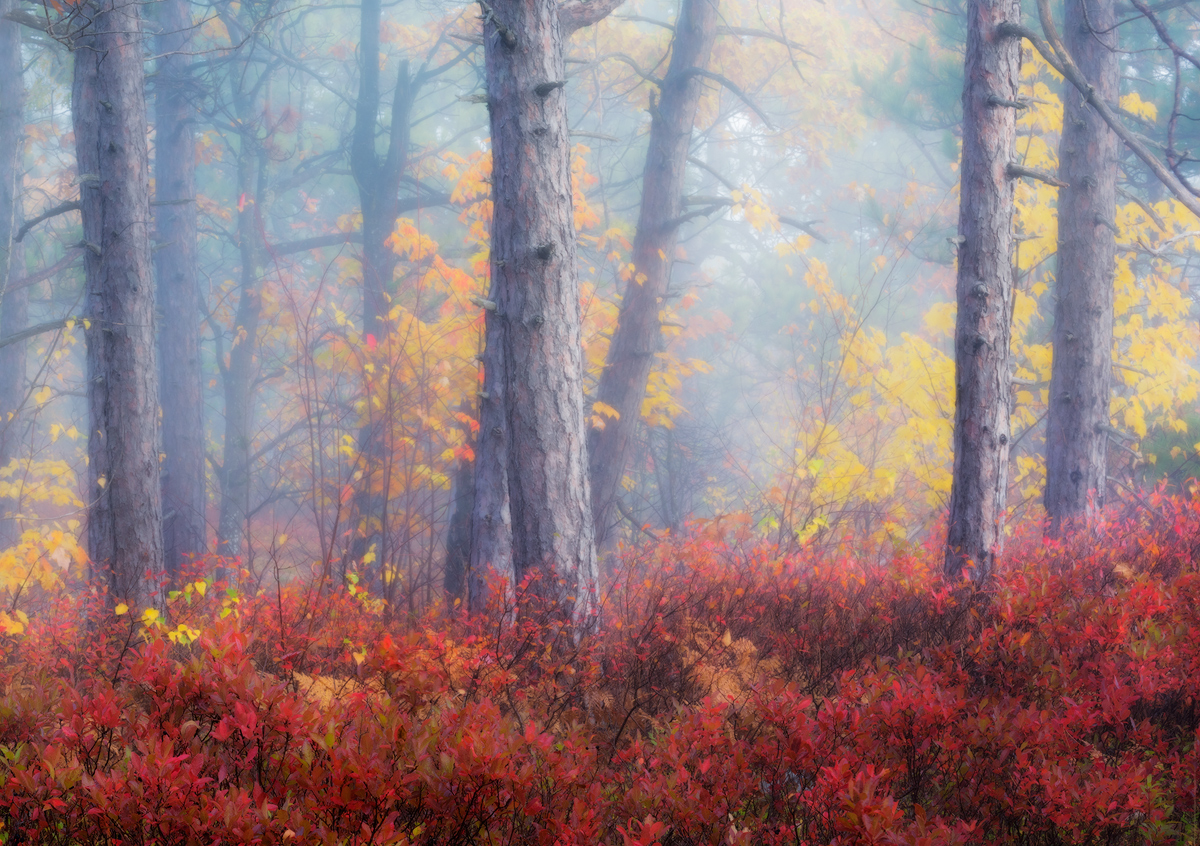
A foggy summit scene atop Mount Major in NH's Lakes Region.  Sunrise broke through the mist and created some great lighting and atmosphere.  I posted the original in Landscape Gallery, reduced the details in the foggiest portions of the image by reducing clarity in those areas and adding a slight Orton.  Hopefully these emphasized the foggy mood, though may be difficult to tell the differences compared to the original for this image.

Comments

5 comments
Comment posted by Kathy Snead on November 29, 2017 at 5:45 PM
Hi Harry

OK , so cool you did this with Orten.  I am a big Orten fan.  Anyway, I went and looked at your landscape one where you decreased clarity.  I think I prefer that one better as it seems more mysterious.  But , both are very nice.  Maybe on this one try to blend your layers differently, adding in more of the blur layer??  But that is what I would do, all in the eye of the artist.

BTW, I was just doing an Orten yesterday and I am curious what you used to get your blurred layer?  I had tried several techniques in photoshop in the past , but yesterday, I tried blurring the layer through Topaz using a couple of the blur techniques through lens effects. 

Best
Kathy
Registered on April 6, 2017, 104 Posts, 397 Comments
Comment posted by Harry Lichtman on November 29, 2017 at 6:28 PM
I used TK actions which has an Orton mask that I played with the opacities to see which looked realistic and not too over the top.  But for Photo Art, I guess over the top can work too, just not my tendency.  I haven't tried doing this in PS, so not idea.  Must be something on the web about this.
Registered on September 17, 2010, 304 Posts, 3507 Comments
Comment posted by Mark Seaver on December 1, 2017 at 10:54 AM
Harry, to compare this version with the landscape version, I opened two windows and then went to the larger view in both.  Switching between the two windows, worked great in that the image snapped from one to the other without moving on the screen.  That type of viewing shows how subtle your blurring and slight brightening is.  I like how your blur amount softens the leaves while leaving the trunks decently clear, which got me wondering about how more blur on the leaves and less blur on the trunks would look.  A way to do that in PS is:
  1) duplicate the background layer (I click and drag to the "new layer" icon on the properties panel).
  2)  apply a gaussian blur to the new layer
  3)  Add a black mask and then paint in white with a moderate opacity (I like 25 - 30%) to adjust where and how much blur gets applied.  With a very soft blur brush, you should be able to get only a little blur on the trunks using the brush edges, while controlling the amount of blur in the leaves with the number of brush strokes.
Registered on January 23, 2011, 1103 Posts, 17270 Comments
Comment posted by Kathy Snead on December 1, 2017 at 11:09 AM
Hi Harry

My method is identical to Mark's, except that I am recently using Topaz to generate the blur layer and the mask.  The lens effect filter in Topaz can produce various types of blurs and then you can play with both the opacity and masking.  There are several ways to create the masks, both through luminosity and reverse luminosity, and through brush.  

Kathy
Registered on April 6, 2017, 104 Posts, 397 Comments
Comment posted by Harry Lichtman on December 1, 2017 at 11:16 AM
Mark - That is essentially what I did to retain the trunk detail in the nearest trees. I duplicated the original sharper image (Landscape Gallery), and placed the blurred image in between, then erased selectively so as not to blur too much. To bring out more trunk detail, I could have done so in a similar way with a higher clarity layer created in ACR,  but didn't want to overly sharpen, especially when web viewing.  Thanks!
Registered on September 17, 2010, 304 Posts, 3507 Comments