Jaguar with repost
by Rob Graham
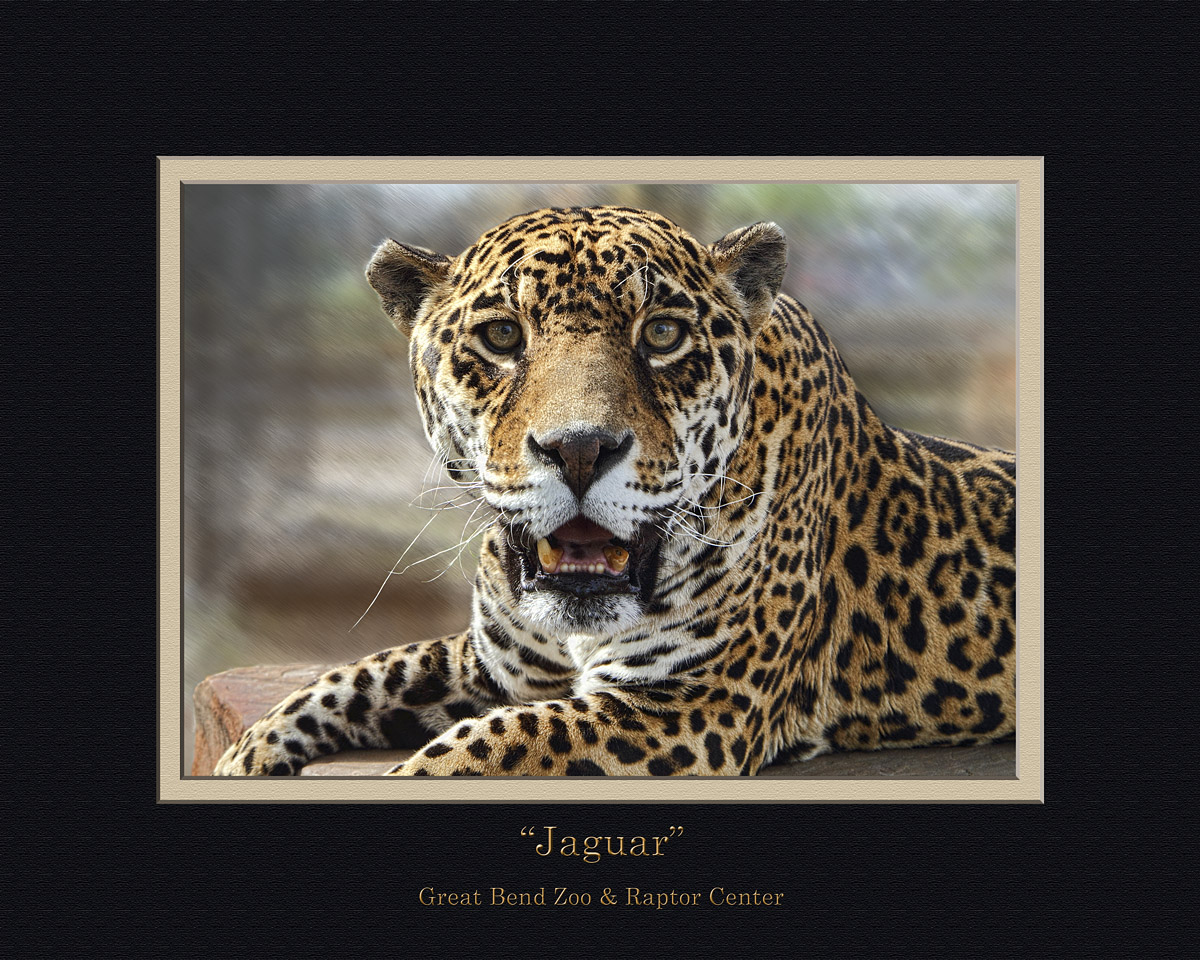
This is one of the prints I'm trying to work up for the local zoo. The background was a mess, so I used the glass filter and motion blur to hopefully create a more pleasing background. I'm having trouble getting the jaguar to blend in seamlessly with the background. Any tips on making selections blend together better? Do the matte colors work for this photo? Is the text style ok? I plan to replace "jaguar" with "name" once I find it out. She's 22, but I can't remember her name. Thanks in advance.

Comments
4 commentsI think the BG works just fine.
Maybe a little more room at the top? You were probably trying to minimze the BG, though.
One of the Topaz filters easily and perfectly wipes out all the BG, so you can put another in. I have it, but have not learned it yet.
It's here and there is a free 30-day trial:
http://www.topazlabs.com/blog/topaz-remask-best-practices/.
I think the frame and font style is great.
Sandy r
You caught a very compelling gaze from this old girl. If the background is on a separate layer from the subject, I might drop the exposure of the background and also do a little burning of the background layer around the edges where it meets the subject. A blacker background would certainly make the subject "pop" a bit more. Nice capture.
Marc, I'll give your suggestions a try. I can see where it could be beneficial.