Steelhead Falls
by Marylynne Diggs
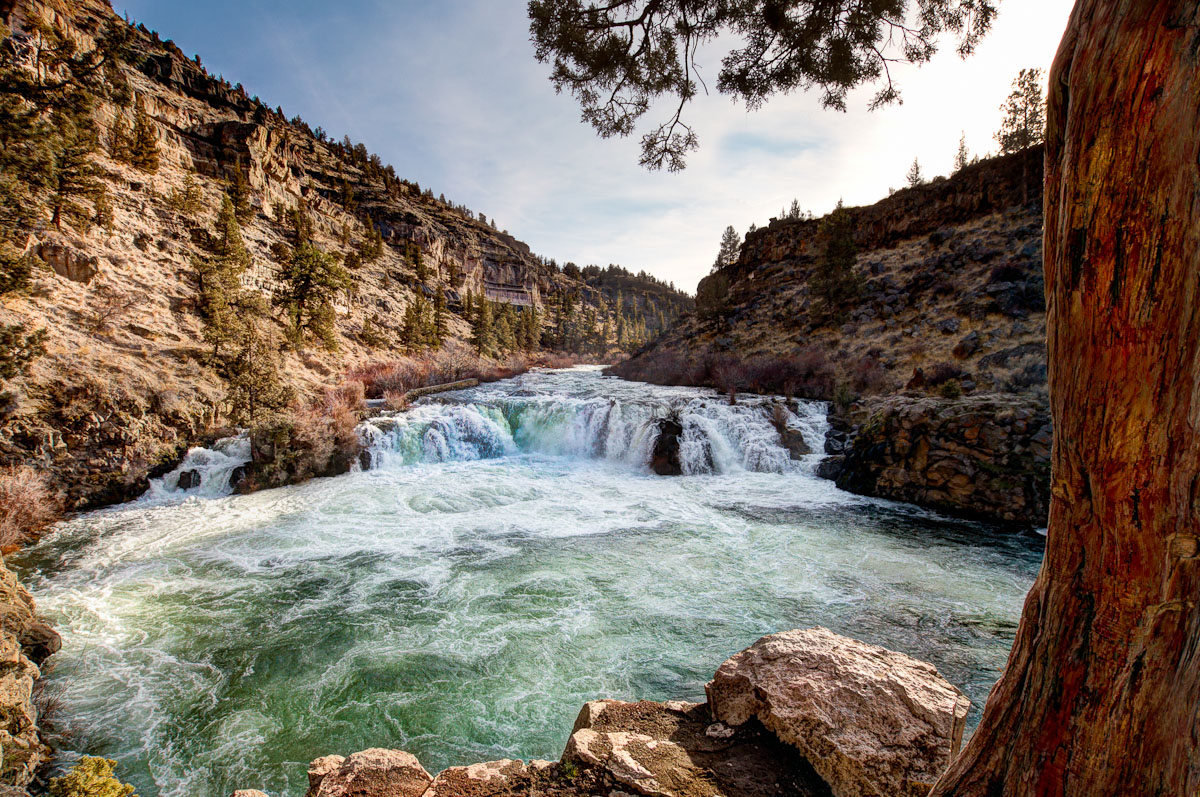
Every now and then, I face a waterfall nemesis. I have two decent shots of this waterfall, but my new plan is Memorial Day Weekend in the evening, when the sun will be about as high and far north as possible, thereby lighting the falls and canyon from behind me.
This is a blend of 4 exposures, and I still had to position a tree to block the sun a bit (and still got some blown out sky)
When I go back, I'd like to nail the composition as well as exposure, soI'm especially interested in whether y'all think it would be better without the tree. I like the contrast of the orange and the intimacy it provides, but....

Comments
10 commentsI'm not sure if the harsh light works though. While it creates a very "happy" mood in the shot, it throws the balance off and makes the left side very dominant. As there are quite some clouds in the sky I might have waited for a moment where the sun would be covered and give that a try. That might also help with your problems of the high dynamic range. Little technical observation - there are quite some chromatic aberrations in the upper left area. Never forget about them. Usually they can be removed quite nicely by the RAW converters.
I always seem to get ca's with my Sigma 10-20mm, and of course the exposure blend and my gradient tool darkening the sky added to that. I rarely do anything to control them in post except click the defringe edges (either all or highlight) in LR. I included a screen capture of the ca's and the available tools in LR...I never use the sliders, and it seems that they function more to slide the aberrations toward one color or another (i.e. move toward yellow turns them yellow, etc.). I assume this is to reduce color contrast between the aberration and its background color. Any suggestions on how to handle these better in post will be much appreciated. I do stop down when possible to reduce them, but both my sigma and canon 24-105 have notable ca's on a regular basis.
which version of Lightroom do you use? If you have Lightroom 3 or maybe even 4 then these versions include a profile for the Sigma 10-20mm lens. In the "Lens Corrections" section you can enable the "Enable Profile Corrections" option under "Profile" and Lightroom should take care of your lens issues.
Otherwise if you have an older version of Lightroom, just zoom into the problem area at 300% and move the aberration sliders to the left and right until the situation gets better. Your problem looks like a red/cyan issue which means that you might have to move that slider to the negative side.
So glad you decided to post here. This is an excellent view and composition. I like the presence of the tree and the overhanging branches as those work well to break up the otherwise washed out sky. And here's a case where the higher ss and freezing of the water action reveals some nice texture and detail in the water - and I really like the color throughout.
I'm sure there are good comps without the tree, but I rather like this and the use of framing. In fact I might even suggest a little more of the trunk, and also the rocks at the bottom, be included. Hopefully you have that option. Definitely a place to return and really work the area; looks like lots of potential. What you have here I think is excellent.
Lon
Thank you for posting this. I particularly like how it stimulated wonderful and educational comments from the other posters. I agree that the tree adds to the image and think the second image you posted is much more powerful and pleasing. I wonder how the shot would look if you were to burn the left hillside a bit.