Don't Worry be Happy!!
by Stephen Porter
Don't Worry be Happy! October 13th 2010
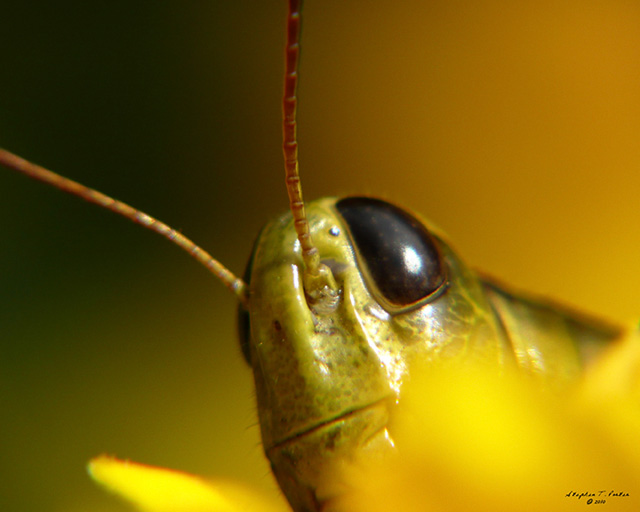
Came across this grasshopper, playing hide and seek. He appeared to be smiling at me, from around the yellow petal.
Minor brightness and contrast adjustments, in PS.
Camera Panasonic DMC-TZ3
Exposure 0.001 sec (1/800)
Aperture f/4.9
Focal Length 43.3 mm
ISO Speed 100
I was asked to post the camera settings, for my photos. I could not afford an expensive camera body and macro equipment, so I built an attachment for my camera, that included cardboard tubing and lots of duct tape. The above settings, may or may not make any sense since the attachment changes just about everything. :)
For more details, regarding my background and photos, please visit my profile page.
http://www.photoportfolios.net/portfolio/profile.cgi?&pi=TINYBYNATURE

Comments
4 commentsI will have to do some more research and training, into using PS. Usually when I make brightness or exposure adjustments, it is a blanket change, for the entire image. I have not learned how to do it selectively. I will look into it though. I try to adjust everything where the dark areas and bright areas, even out the best I can, but sometimes to bring down one area, means it ends up too dark in others. It would be nice to be able to just change one area. All the images I post, are pretty much the jpegs straight from the camera. I do a light brightness and contrast adjustments, but that is about all I know how to do. I found a script for PS, that I use for resizing for the web and I think it automatically adds some sharpness and saturation for loss, during downsizing.
Thank you for your feedback. Much appreciated :)