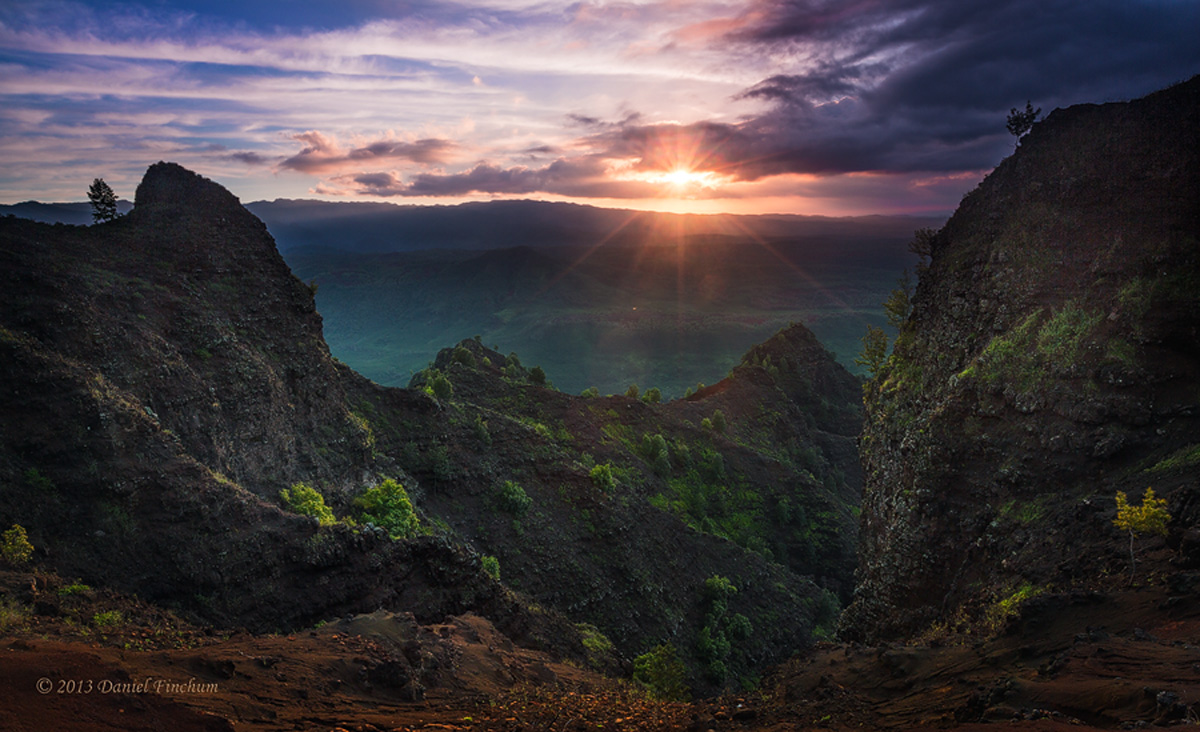
Waimea Canyon Dip
by Daniel Finchum
The sun is coming up at the perfect time in this area as I drive to work now. Anybody can share their web sharpening tips I would appreciate it. Tried to run a script from:
http://www.andreasresch.at/2013/04/07/web-sharpener-better-sharpening-for-the-web/
but not sure it improved the output.
Canon 5DM3
one exposure
.6 rgnd

Comments
6 commentsSharpening looks fine. You have a halo around the ridges.
Sunrise is well done, I might lighten the FG a tad.
aF
Regarding that sharpening script: I am using it and find it to work quite well, better than I have been doing before which was downsizing in two or three steps and sharpening after each step. That script does similar things but also does some extra stuff which makes a difference. Some times after, down sizing with that script I add some more exra contrast (nik efex, tonal contrast filter), which enhances sharpness even more.
I have a video called "Ultimate Web Sharpening" coming out in about a week. There are a lot of approaches that would improve the presentation here. One quick way might be to use PS CC and duplicate a layer, put it in Luminosity Layer Mode, then run the new Camera Raw Filter. In the sharpening tab, choose about 10-30 amount, Radius to the left and detail to the right and masking variable. Then after applying the effect you could reduce the opacity of the layer easily in PS as a layer.
The only other thing I might consider is an overall shadow adjustment (in raw) from the right side to the left. I would up the shadows on the right a little so it does not feel heavy there. This may make any dodging there unnecessary. Maybe. :)