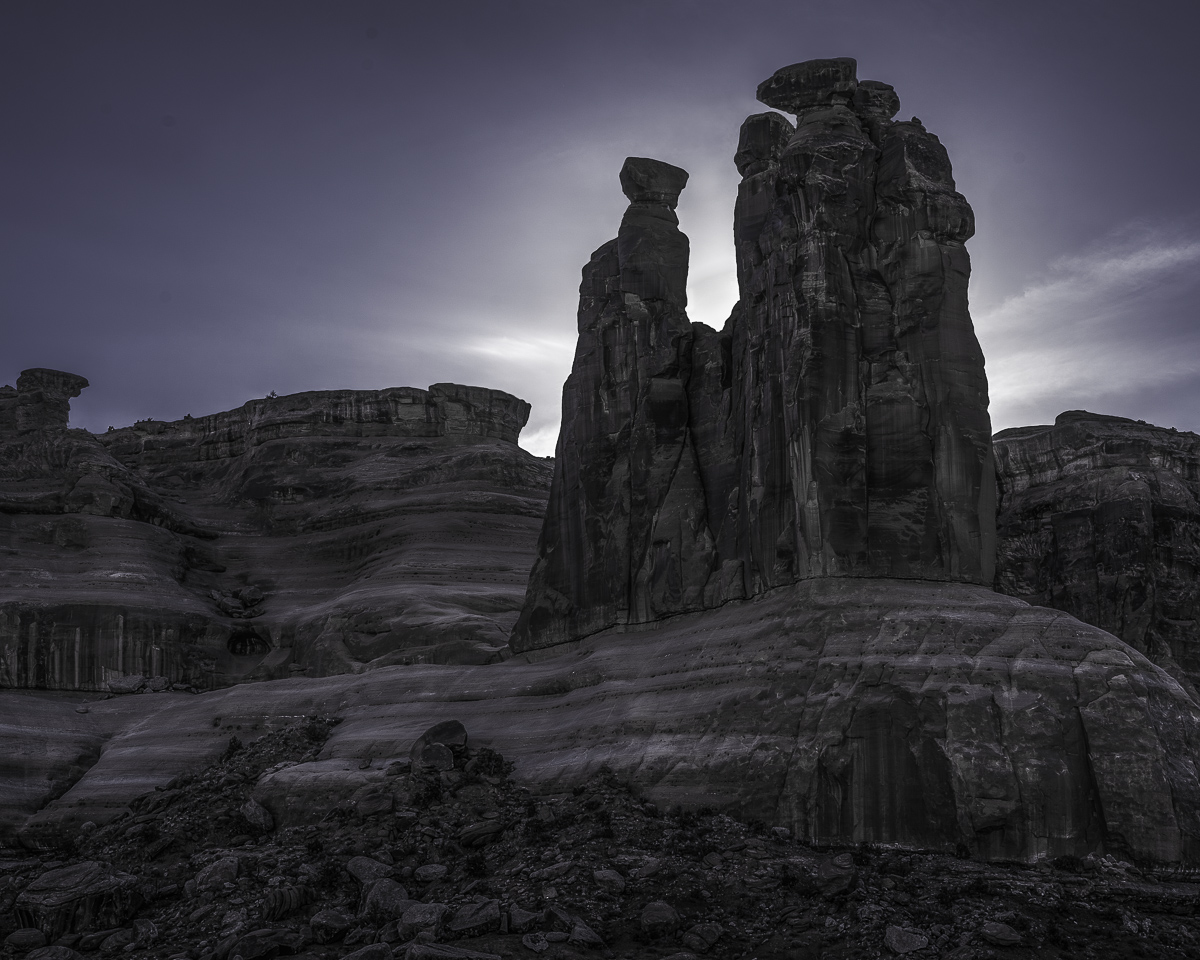
Gossips
by Pat Sampson
Arches National Park, UT
I liked the back lighting for this from the sunset.
I spent quite a bit of time with the clone tool. Pretty much any change including: contrast adjustment, sharpening, color lightening or saturation, NIK silver Efex conversion; created artifacts around the verticals. I don't understand at an algorithmic level why that should be the case. If anyone can direct me to an explanation, I would appreciate it.
I intentionally left a little color in this. This is pretty close I think to what it looked like to me at the time - mostly monochrome but with a little color.
Nikon D800
Zeiss 100 mm
LR, PS, TK's actions
Comments and suggestions welcome.

Comments
18 commentsThank you for the offer. It's halos and I'm seeing them created in LR, PS, Silver Efex and even to a lesser extent with TK's basic and expanded midtone actions. What I'm actually curious about is the algorithms that are being used for the contrast adjustments in these applications. May be proprietary but I was hoping someone knew of a reference that goes into the nuts and bolts of the image processing code.
pat
pat
Thanks to your prior suggestion, I do always now use the chromatic aberration adjustment in LR and it does help. There are basically two kinds of halos that I routinely see: a sharp one to three pixel bright halo next to dark edges and a wide gradient sort of halo (maybe as much as 50 pixels) that appears around vertical shapes in an image. The first is at least related to chromatic aberration but it's hard for me to imagine that the second type is. The second is more like noisy turbulence - it's smoky looking and very faint. Both are obviously artifacts created by what I consider to be buggy algorithms in the applications. My argument is that if I can see the artifacts, the algorithms should be sophisticated enough to account for them and eliminate them; or not create them in the first place. Hope that makes sense.
pat
Nick Bristol
Lone Rock, WI
I think this image is of rocking good quality. The tones are so sweet, and the color left in the sky produces such a nice subtle contrast in the canyon walls.
All the technical conversation is intriguing to me, but I just don't want it to happen in the end, lol. Maybe you can email the adobe team, and let us all know what you come up with?
I think this one a lot
As to the issue of halos, I suspect that your 1-3 pixel halo may very well be the human vision effect called "Mach bands" (check out the wikipedia description) and that we see the brighter side more easily than the darker side. I see that regularly even in RAW files and have wondered about on-chip effects. My limited knowledge of CCD performance says that there shouldn't be any charge leakage from one pixel to adjacent pixels until the central pixel starts to saturate (>90% of the maximum charge) and that the result would be a spread of brightening around the saturating pixel. That's not what I see in my images were there seems to be extra brightness on the bright side of any strong contrast area.
I see the larger halos (20 - 30 pixels) when there's a strong brightness change and I'm using TKs triple play in PS. I wouldn't be surprised to find that other software packages are using similar algorithms, just keeping it hidden. BTW, I see several light dust spots in the larger version. I find a fair number of those that are very hard to spot in the raw file, but show up way to nicely when I'm doing high contrast processing.
Thank you very much for that input.
I agree with you about the saturation leakage. And for further confirmation, I don't see it until I'm in post processing and then usually after a tweak to contrast - either global or local.
In this image, the larger halo appeared with almost anything I did but unless it was invisible in one of the channels in the raw image, it wasn't there in RAW. So it was a processing artifact. Interestingly, at least to me, the GIMP algorithms are documented and If the descriptions are accurate, I'm surprised at how simplistic many of them are. I would have expected a high quality contrast algorithm to involve edge detection and I didn't see that in the documentation. I also didn't see anything in the algorithm description that would prevent a calculation that drives the lumination to an unrecoverable limit. In short, they don't appear to be reversible functions. I may not be seeing an adequate description though.
I guess in addition to just wanting to know how the algorithms work, I'd also like to consider a design that would improve performance. I wonder how many of the developers are actually practicing photographers.
Take care.
pat