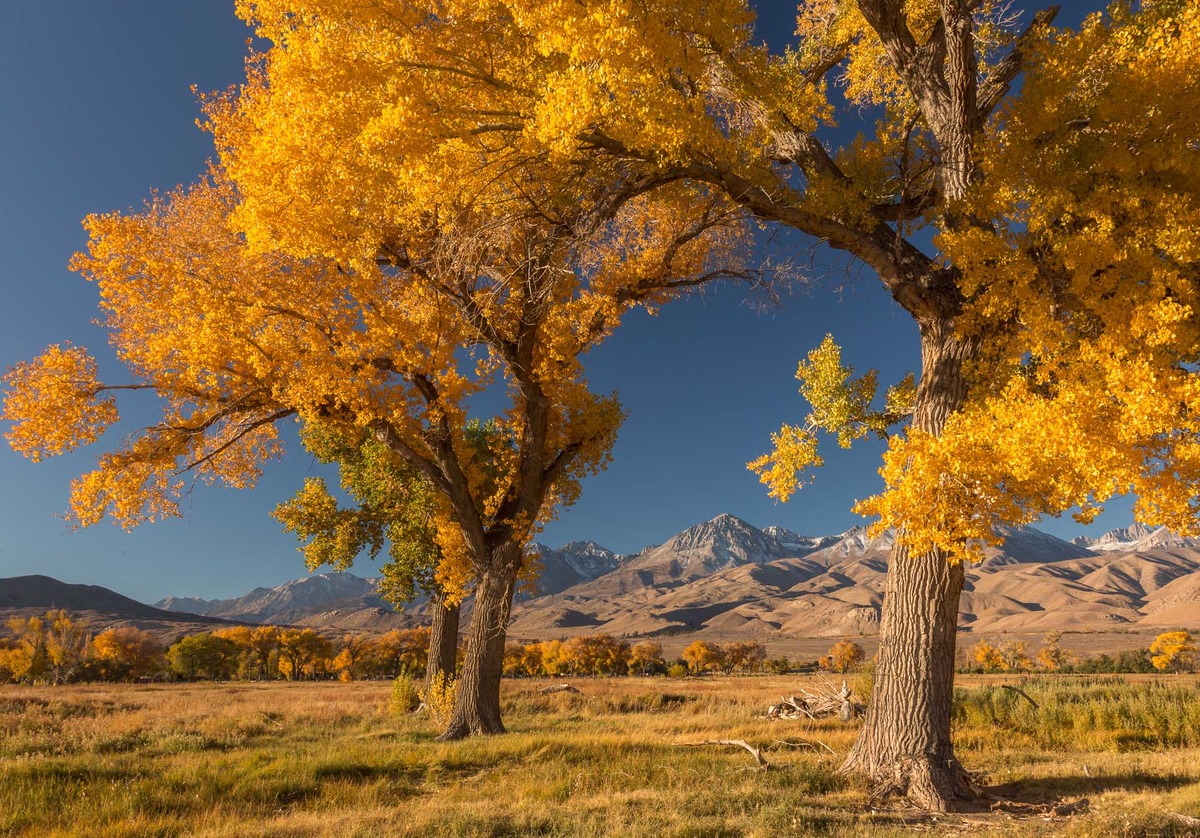
Sierra morning-WC
by Kathy Barnhart
I went to the east side of the Sierras last November and was surprised to hit the color just right for the yellow cottonwoods. I used a polarizer and there is some vignetting. Would love some advice about how to process this and get rid of the various colors of blue.
Otherwise, I like the image a lot and consider it one of the best ones from 2014.
Canon 5d,M3, ISO340, 24mm, f/16, 1/40sec.
Thanks for all the comments and advice I have received here this year. Happy New Year to all.

Comments
7 commentsIf you're using Photoshop for post processing, I would suggest that you; 1) invert the image, 2) shift to the channels menu and select on the blue channel (shift click), 3) use that selection to create a new channel and 4) then un-invert the image. Now add a soft light layer filled with 50% grey, select on the new channel mask, and dodge through that onto your 50% grey layer using pure white at 10% (or less) opacity. Watch for streaking, but be aware that some (even a lot) of the streaking is in how PS is showing you the image, not in the actual image. To be sure about the results, you may need to save and reopen the image. Those who know and use Tony Kuyper's methods will see that this a slight variation, using a specific color channel. If you try this and still have questions send me an email.
To get rid of any vignetting and if using PS then use:
Filter > Lens Correction > Custom > Vignetting (Adjust sliders for Mid Point and Darken or Lighten). Looks like the vignetting is a bit heavier towards the right top, but the Mid Point slider can be adjusted for that as needed. Very slight move on that slider I would think.
When using the Lighten Slider usually only 10 to 20 adjustment is more then enough. Good luck with the fine tuning. Make slow adjustments here, it's not off by much IMO.
Albert Darmo
Canada