
by Basil Greber
Dear all,
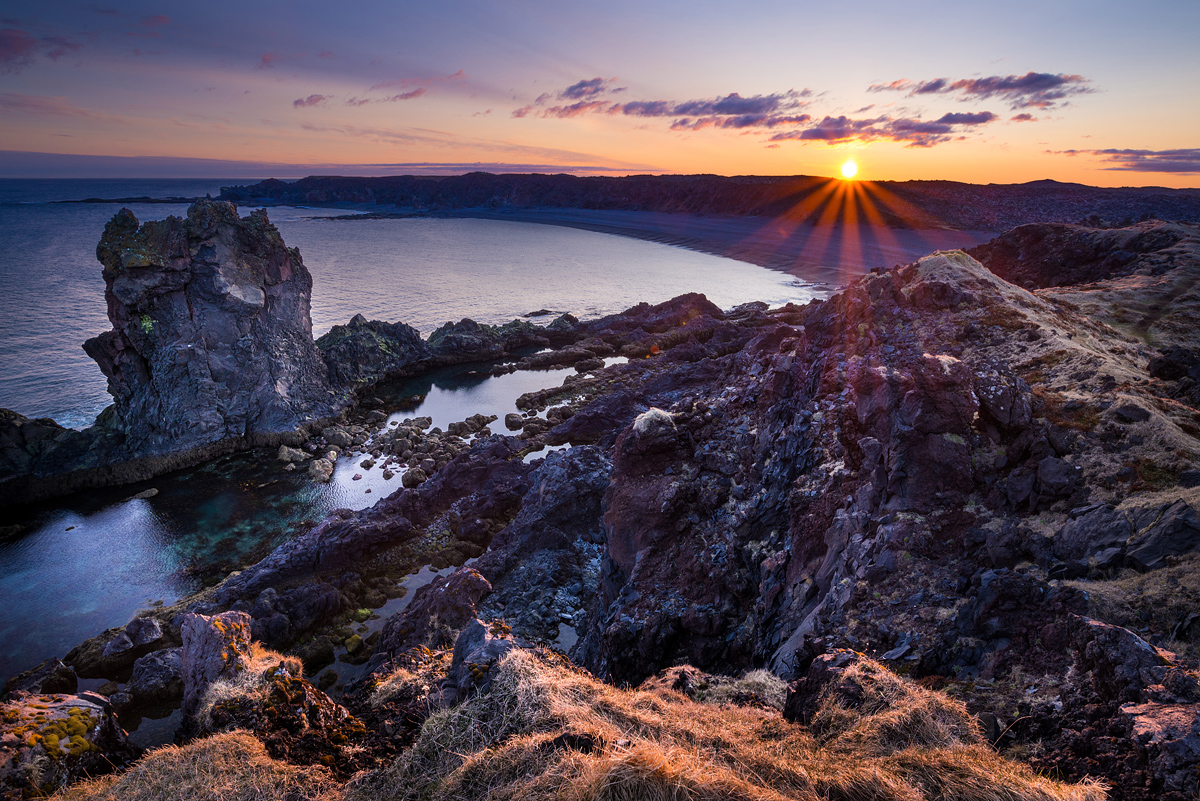
I've been wrestling with this one for a while. It's a blend of three exposures (2 stops apart each), two of them (the foreground) extensively processed in Lightroom. I wasn't satisfied with a more mild edit before, as it didn't convey any of the complexity and depth of the scene. So, here it is - an improved version, or so I hope. Or maybe I got so much into it that I lost track. What do you think? Any comments much appreciated.
Nikon D610, 18-35 G AF-S, 1/50 + 1/13 + 1/3 sec.
Thanks!
Comments
5 commentsHi Basil!
Nice image, would be happy to help you with some suggestions.
There are 2 elements I look at in this photo: 1) Landscape and 2) Sky. The Landscape covers ~ 80% of the frame, and the Sky covers 20% of the frame. The brightness and corresponding rays of the sun are so powerful that they take away from the Landscape, which is 80% of the frame. The simplest solution therefore would be the following: brighten the Landscape and darken the Sky.
In Lightroom, I would first suggest using a hard gradient for the sky, and lowering the brightness quite a bit. Make sure you can still see the colors, and maybe increase the yellows and reds in the white balance -- just make it a priority to retain these colors while reducing exposure quite a bit. Then, I would suggest using a brush tool in the area where the sun rays are and reduce the exposure there, while also cooling the white balance in this area as well.
Then, I would suggest adding another gradient for only the foreground. Here I would suggest decreasing Highlights, maximizing Shadow level, slightly increase the Exposure, and reduce the Reds & Purples that are visible in the center frame / rocks. I would also suggest boosting the saturation and contrast of the overall image which should still convey enough depth in the foreground. After these two gradients are complete, I would focus on the individual colors in the foreground by creating points of focus, such as maximizing the green levels to bring out some of the contrasty plants on the rocks.
Hope that helps!
Thanks Matthew, thanks a lot for these detailed descriptions. I'll have a go at these! I am bit hesitant to increase the brightness of the landscape too much, as this is in fact black lava (some of it with a red hue) - I'd like to keep that feeling. I'll see how it goes. :-) Thanks a lot!
I like the sky as it is, Basil. I think if it were darkened, the sense of light would be lost. I might bring down the values in the foreground grasses just a bit. Overall, this is nice image and you did good job putting it together.
--P
The dynamic range of the larger looks much better thatn the smaller one. I would brighten the lava areas if possible to allow some of those reddish colors to come through. I would brighten the left sky a bit too - some nice clouds that seem to be blocked up a little. Very minor, but I wish the far left stack didn't run into the crescent coast line. Lastly, the blacks in the image seem strongly magenta, which may be your intension. I can see that the lighting would give that cast, but the beacj and far highlands may benefit from a reduction in this or mybe more cyan. This might help differentiate the land form more and give added depth to this grand view.
Tough light that I think you handled very well. I agree with Harry in that a couple of steps to the right might have isolated the stack from the shoreline. The sunstar is crisp and clean. Overall a very nice image.