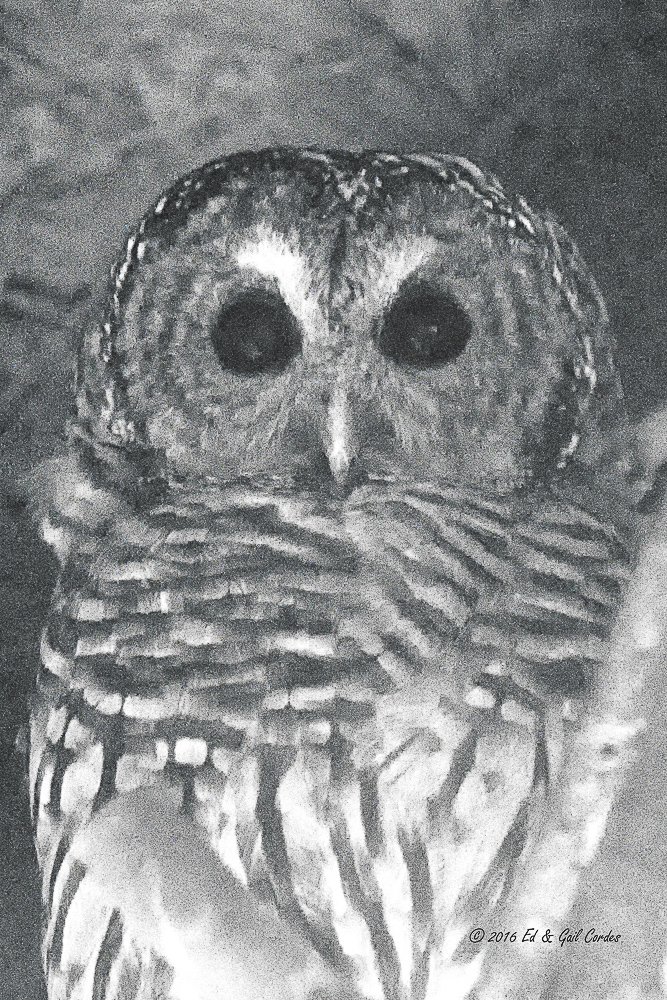
Charcoal Owl (Captive)
by Ed Cordes
A few weeks ago I made an image of a captive owl at a local nature center. The owl was in a rehab cage due to some type of injury. The image was shot between narrow bars and through a dense screen, so the contrast was near zero and the color was really distorted. I decided to keep the image and see what I could do in Photoshop to get a useful picture. Here are the results. I converted to B&W, used Silver Efex Pro, adjusted the contrast and used a detail enhancer in Color Efex pro, among other things I can’t remember. Thanks for looking.

Comments
2 commentsI applaud your attempt at trying to salvage this Image. Injured wildlife hold a special place in my heart and I have so much respect for all the fine folks at the Nature Centers who dedicate so much towards helping these animals.
To my eye this image as presented has an unfinished look to it partly due to the, as you mentioned, wasted out contrast. If you have Topaz plug-ins, you could try some 'Texture Effects' and if not some simple art effects from your Color Efex Pro such as Detail Stylizer, Indian Summer, Old Photo, Pro Contrast to name a few. Another trick I use that sometimes has nice results is to copy and paste the original image as a new layer. Then adjust the opacity of the original image layer to bring out the desired highlights.
Just a few thoughts for you to ponder.