Repost/Sage & Scrub
by Stephen Stanton
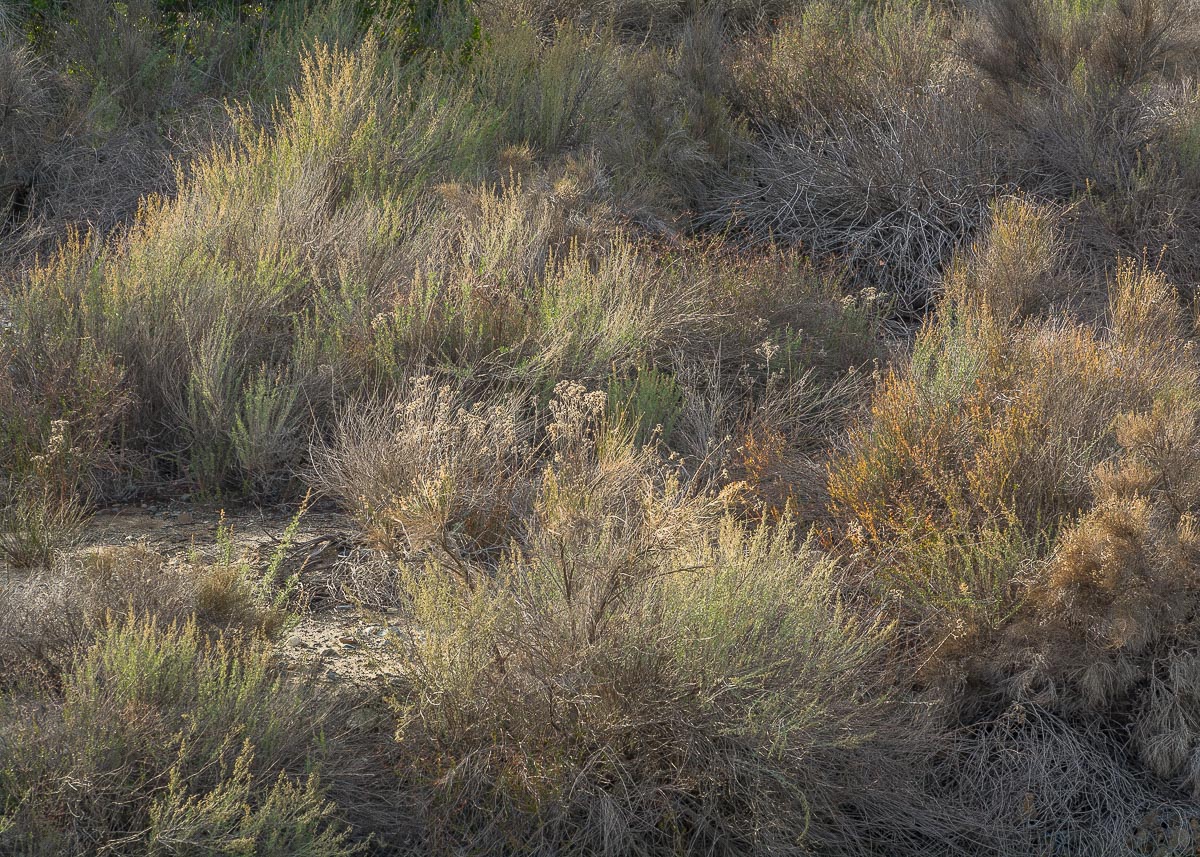
Thanks for your second look and your extended comments, Bill, I appreciate them very much. Many times I have found that I get a much different and usually more honest and clear response after letting an image sit and then coming back to it,somewhat removed from the initial processing work. When I looked at this photo a day or two later it was very easy to see that it was too much on the dark side, all comments mentioned this. This version is opened up about 3/4 of a stop. Kept highlights low but moved up a bit from the original post, trying to keep clarity and definition in the sunlit areas. Also played a little with the Luminance and Saturation sliders to try and get a little more color renderings. I think the pebbly/sandy open footprint area provides a sense of scale to the brush and helps anchors the image. Wish I would have been lucky enough to get a small sparrow foraging, may be next time.
Thanks again to all for you input and Good 2017 to all!
Nikon D7100, 70-300 @ 220, f8@ 320ss

Comments
5 commentsThanks for taking the time to rework and repost. I think since I was one who recommended bring back some highlights, I should comment. ;-) Personally, I think there is a compromise in between the two. I think what you did was bring up the highlights globally (ie. opened up 3/4 stop.)
This will be hard to explain, but I should have been more specifically and said "selectively bring up the highlights." There's a dozen different ways to accomplish this and my way might not be how someone else would do it. You could take the layer where you increased the exposure (or perhaps you did in RAW?), but if a layer, add a quick mask and then paint out the areas that got too bright, or didn't need the brightness. for example, the open patch of earth, that didn't need to be brighter, in fact it's more washed out now. Another method would be to simply dodge and burn the original with a soft brush. Personally, I love the freedom and creativity one can use by painting on an image. and by "painting" I mean whatever adjustment you've made, you can paint in or out the adjustments. For example, a flowing cascade over/around some rock. I want the rocks sharp, but most times one doesn't want to sharpen water or sky. So you sharpen, and then paint (mask out) the sharpness in the water. anyway, just an idea,
Just noticed you said you used LR on the original. I don't use LR, so I guess I'm not much help.... ;-)
Still a very enjoyable, intimate scene and image.
Lon
I had a look at your previous image, and I do enjoy this one a bit more. I like the idea Lon had of selectively increasing luminosity of the grasses while leaving some of the shadow area in shadow. This would make a one exposure scene have a bit more depth about it.
Love the delicate grasses here and the beautiful detail. I can see a few different ways to take this image depending on where you see it going. I use both LR and Photoshop to work my images as Photoshop increases the directions you can head with your images.
As Lon mentioned, thanks for the repost. Honestly, this is not what I made in mind with my recommendations. I was suggesting a much more limited approach to darken some of the "non-important" areas and dodging some of the highlights to make them "pop" more.
May I, with your permission, take a screenshot of your larger version and play with it a bit to see if I can come up with a version that more closely aligns with the suggestions I made? If you would rather I not, I fully understand and I will not do so. Awaiting your answer. If you give permission, I will attempt to make the changes I suggested and will list what those changes were so that, if you like them, you can copy them.