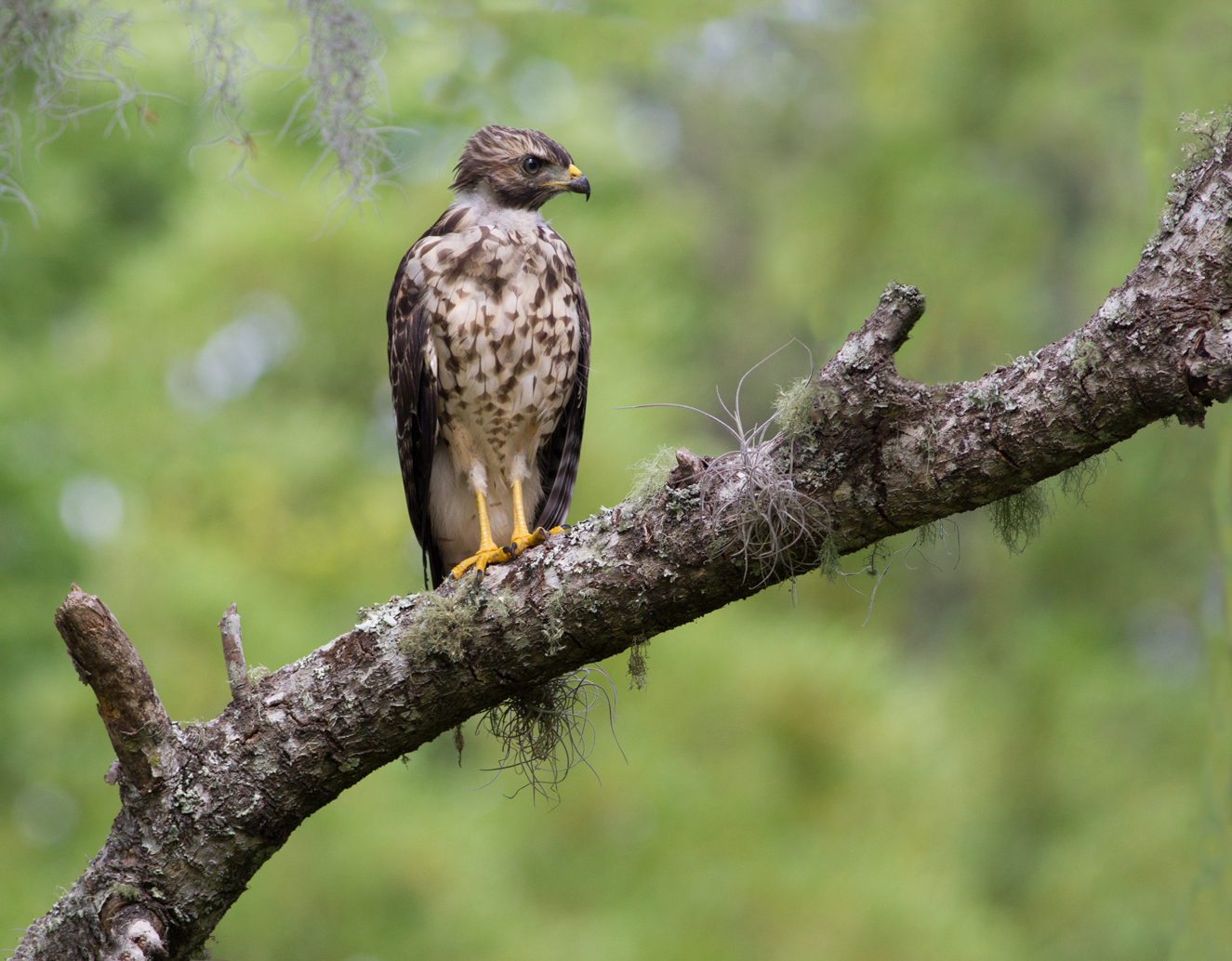
Imm. Red-Should. Hawk
by Barbara Graham
Gainesville, Florida
5/19/2017 – 10:35:21 AM
Canon EOS 7D EF400mm f/5.6L USM
1/500 sec; f/7.1; ISO 640
Manual; Evaluative metering
LR5, PS6, see below for processing info, 91% of full frame
An NPN member has been working with me to try to figure things out as far as goals and continued improvement. As soon as I thought about the question about what is my goal, I realized that my goal is simply to post good images on NPN. So I've read that in preparing for posting on NPN some of the people whose work I admire don't do noise reduction or sharpening on the regular size version and then save for the web (which is the way I save for NPN), but they save for NPN first and then open that file and do NR and sharpening on it. So that's what I've started doing here.
I first tried the lightest option for noise reduction in Topaz DeNoise, then decided that maybe that looked too unnatural, so I undid it, so this image for NPN has no noise reduction. I used Smart Sharpen on the hawk. Please let me know if these things look right.
The larger version usually has better details, color and light. Any feedback would be greatly appreciated. Thank you!

Comments
11 commentsNice detail on the hawk. Overall, very natural.
There is no visible noise in this as far as I can see, and there is no reason to apply NR to the image at this size IMO.
To clarify my own image prep fpr posting at NPN:
- open the raw file in Adobe Camera Raw component of photoshop
- make minor adjustments to white balance (if needed) and tweet the histogram to fine tune the exposure
- open the tweaked file in Photoshop for any dust spot removal, possible tweak with levels, possible contrast increase with curves, small increase in saturation - all with adjustment layers
- flatten all layers and convert yo 8 bit tif
- crop for composition
- create a 1600 px tif and a 720 px tif, plus other sizes if needed
- selectively apply smart sharpen to the subject in the 1600 px version (if needed) and 720 px version
- add signature
- save a copy as jpeg
If I feel that an image needs NR I do that selectively on a duplicate layer at thr 1600 px size. That way I can fine tune NR with the mask and with the layer opacity.
Here,s my two penceworth. It maybe not much use as I don't use any Adobe stuff or shoot in RAW but the processes are similar.
Pic out of camera at full res JPEG (24 megapix) Sometimes High Dynamic retouch in camera used if lot of shadows)
Noise reduction if high ISO used (usually over 800)
Image opened in Paint Shop Pro7
Sometimes Vimas image adjustment used on shadows/highlights.
Levels/Curves adj if needed.
Crop if needed Spots removed etc. Copy of original saved.
Image resized for this site -make sure bi-linear not bi -cubic!
One round normal sharpen after re sizing.
Name added.Copy saved.
Cheers
John
A nice image. Processing looks just fine. You've received some interesting feedback on processing. When I teach my classes or do individual consulting on processing I emphasize two things. There is not a single recipe that works for all images. There is a general workflow, but not a recipe. I'm also adamant that you should never do destructive processing. That means that if you come back to the image tomorrow, next week, next year, you will be able to eliminate, reverse or modify any adjustments that you make via a layer based workflow in Photoshop. All Raw processing is non-destructive so you can always reverse any edits done in RAW (either via Adobe Camera RAW or LightRoom Develop - they use the same underlying code).
I never flatten images as that is a destructive edit that would cause me to have to revert back to the original if there was something I was not happy with. A also never convert images from 16 bit to 8 bit. Doing so may not have an immediate visual impact on the image but any further edits will be hampered by only have 8 bits per pixel to make adjustments. What that means numerically is that instead of have 65536 possible tonal values per pixel with 16 bit images, an 8 bit image has 256.
The final output step of creating a jpeg does convert the image to an 8 bit image for display on the web, but that file is tossed in the trash as soon as it is uploaded.
JohnR
Make sure your monitor is properly calibrated, probably once a month or when it tells you, laptops need more and let the monitor warm up before calibrating, minimum half an hour I would say. Avoid truck loads of ambient light and make sure your monitor is not facing a window as the light from behind will alter your viewing.
As far as composition on this one goes, I would probably crop some from the bottom to slightly under the first fork in the perch, but that is definitely a matter of taste.
Great image, well processed.
I can give no advice on processing as I rarely follow a set pattern!