Azaleas
by Simon Bosworth
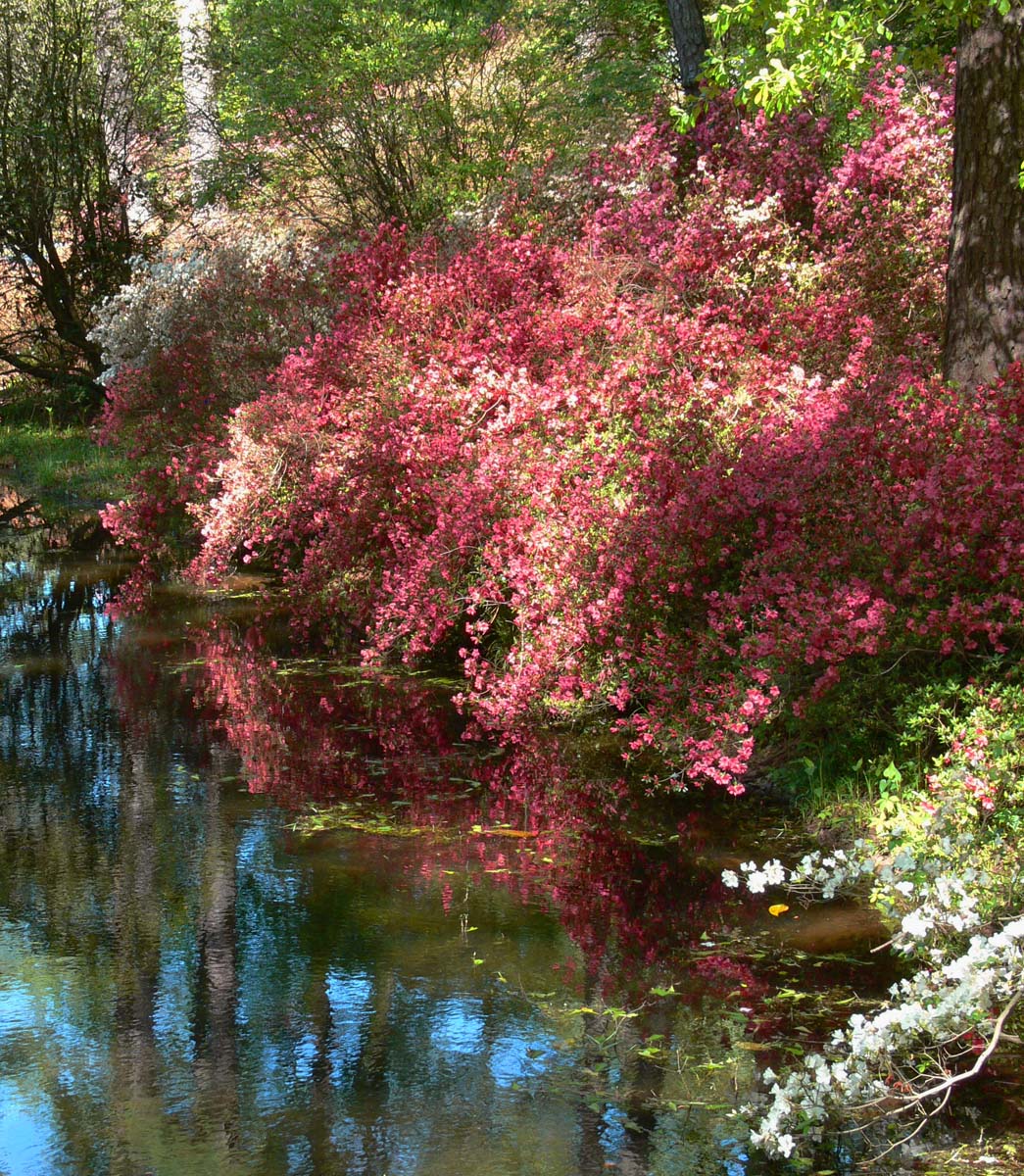
This was taken in Callaway Gardens near Atlanta.
Yes the flowers are a bit soft, but together with the ripples in the water I think it gives the photo an 'Impressionist' effect. Anyway that's my excuse and I'm sticking to it ;-)

Comments
5 commentsI very much agree with you that I think the softness of the flowers give this a definite "impressionistic" look. I do think the colors are a little flat and it's a little bright overall. I think this scene has great potential and with your permission I would like to offer an edit. Some taming of the highlights, some soft vignetting and a little dash of orton and this could be quite lovely.
Lon
please go ahead. I would love to see what someone who knows what they're doing (as opposed to me) can do with the shot. Thanks, Simon
Keep in mind that this is just someone else's interpretation and not a right or wrong thing. Also, re-saving a screenshot jpg and re-sharpening again we've lost some quality, but hopefully we get the idea.
Funny that Tony posted the other comment because my adjustments are purely a result of his methods and actions. As I mentioned, I thought this was a little bright. So in PS using Tony's "Bright lights" selection and a Levels Adj layer, I dropped the overall brightness a bit. A second adjustment layer called a burn/dodge layer where some luminosity "painting" was done to also tone down the highlights a bit more as well as brushing down the mid tones a little. Lastly, the third layer was Tony's "Make it glow" action which is basically an automated "Orton" effect layer. I used a lower opacity on this layer to make the effect less noticeable and more "real."
No saturation adjustments - although the "make it glow" action did make the greens go off a little bit which I think could be turned back down.
Anyway, it is an image with great potential. If you're not familiar with Tony's stuff, I highly recommend visiting his tutorial page. Just click the links in his signature.
Hope this helps,
Lon
Cheers,
Simon